
Quality Assurance Enhancements: AI Audits & Guidelines (for administrative staff)
This guide shows how AI-powered audits can help you streamline and standardize documentation review so teams catch issues earlier, reduce manual work, and ensure clinical and billing compliance. It explains configuring customizable guidelines (including predefined templates and tags), running audits pre-submission, reviewing detailed pass/fail results with AI explanations, and validating AI decisions to improve accuracy over time.
The Quality Assurance module has been enhanced with AI-powered auditing capabilities
The module is now divided into three sections:
- Revision: Review, approve, reject, and manage session notes.
- Guidelines: Create and manage the audit rules used to automatically evaluate session notes.
- AI Audits: Review the results of the audits, including passed and failed guidelines for each visit.
1. Guidelines
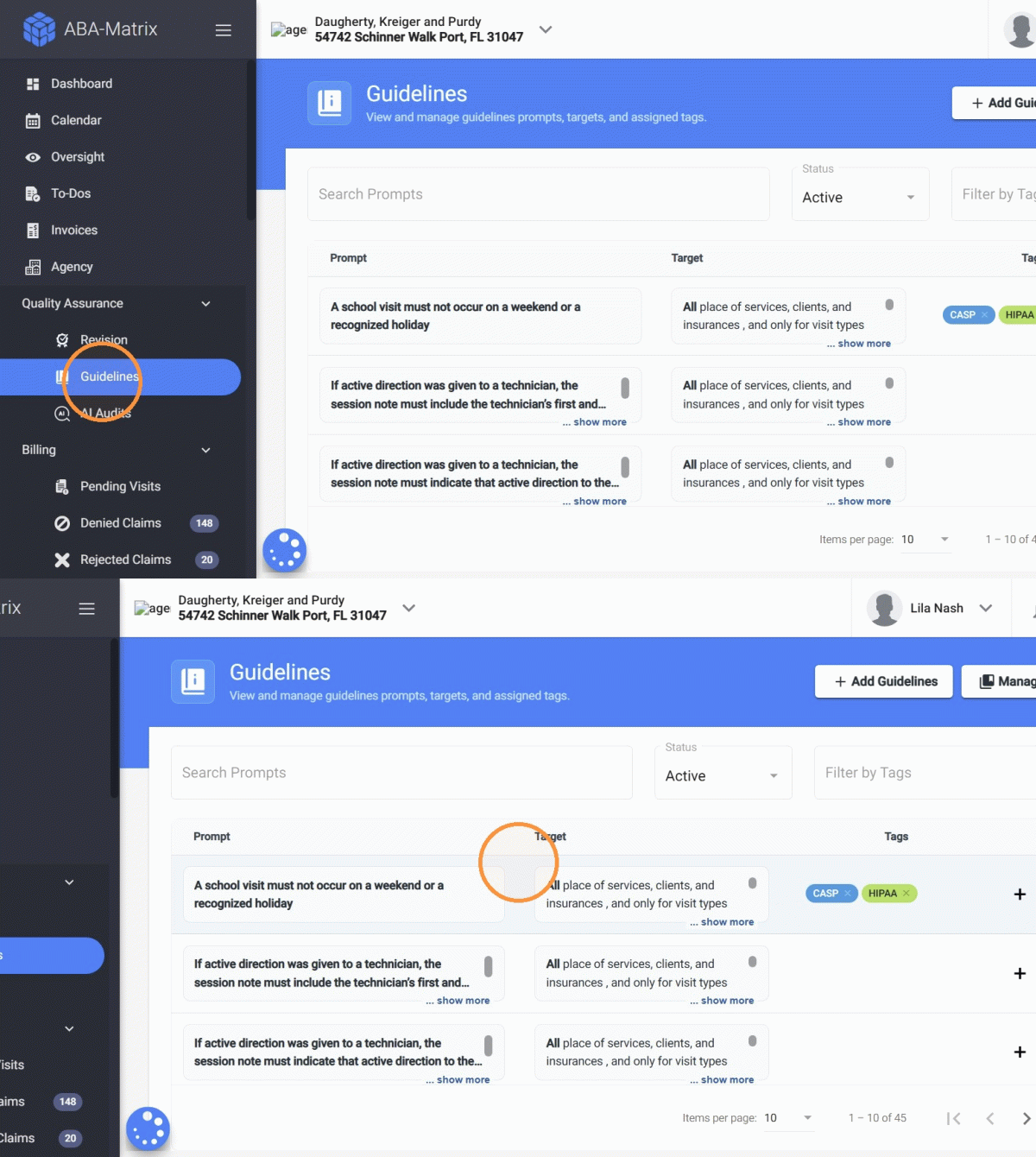
1. The AI Audit process begins with the configuration of Guidelines. To access this section, navigate to Quality Assurance > Guidelines.
This page allows administrators to define the guidelines the AI uses to review session notes. These customizable audit rules specify what should be included in a note and help evaluate compliance, documentation quality, and clinical requirements.
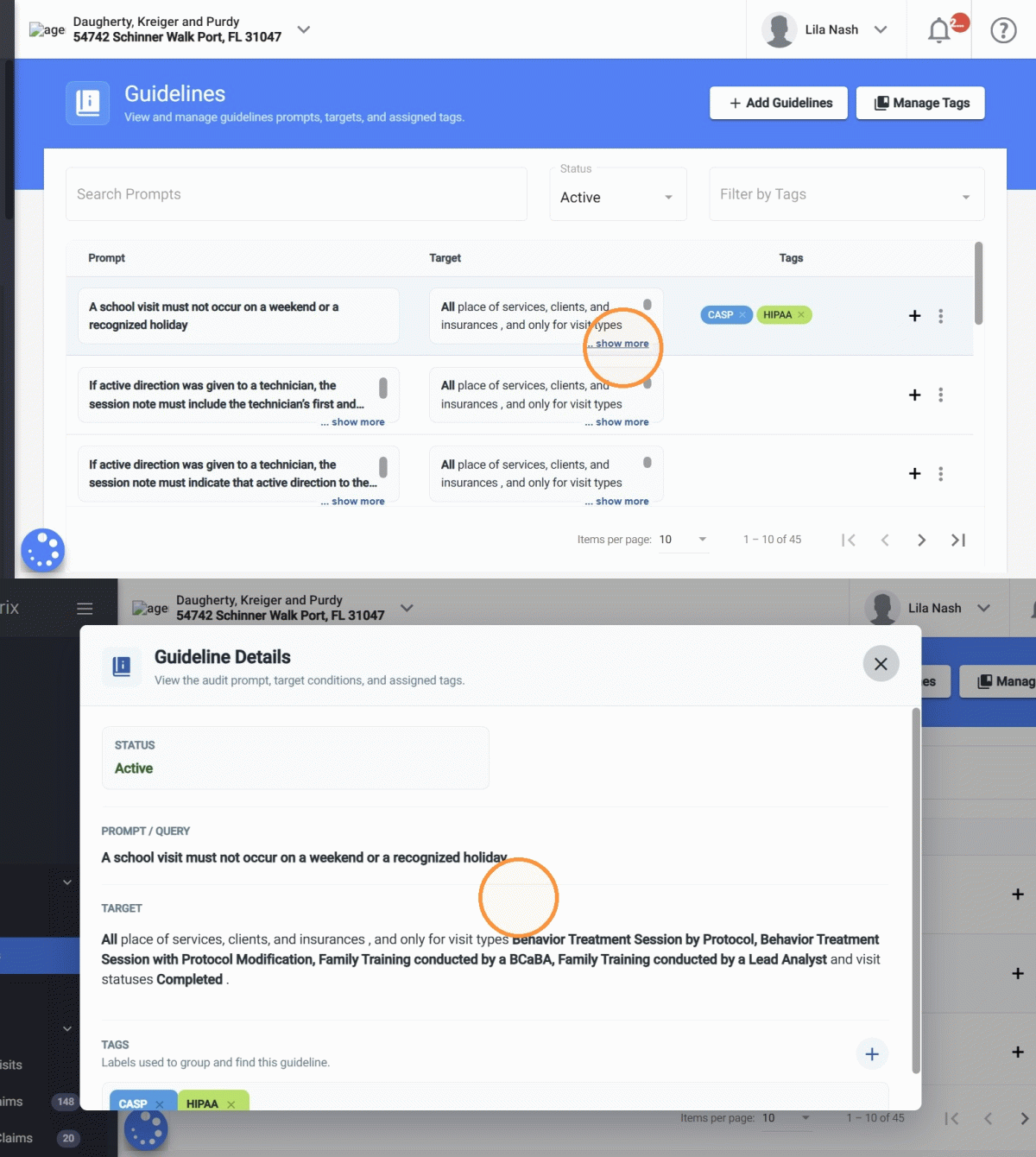
2. Each guideline can be assigned to specific:
- Services and locations
- Clients and providers
- Insurance Plans
This allows organizations to apply different audit requirements based on operational, clinical, or payer-specific needs.
ABA Matrix includes a library of predefined guidelines covering common documentation and compliance requirements. Some examples include:
- Consistency of Documentation: Ensures the information documented throughout the note is accurate and does not contain conflicting details. For example, if the Place of Service is documented as Home, the note should not mention a teacher being present during the session.
- Protocol Coverage: Verifies that the goals, programs, and maladaptive behaviors addressed during the session align with the client's active treatment protocol.
- Billable Service Documentation: Identifies documentation that may indicate non-billable activities occurred during billable treatment hours, such as sleeping, eating, breaks, or idle time.
- Intervention Documentation: Verifies that the interventions used during the session and their outcomes are clearly documented.
- Medical Necessity and Clinical Alignment: Verifies that the session note is consistent with the client's background information and the medical necessity criteria outlined in the treatment plan.
3. If there are guidelines that your organization does not wish to use, they can simply be archived.
To archive a guideline, click the three-dot menu on the right side of the guideline and select Archive. If you want to view archived guidelines, use the filter to display archived items.
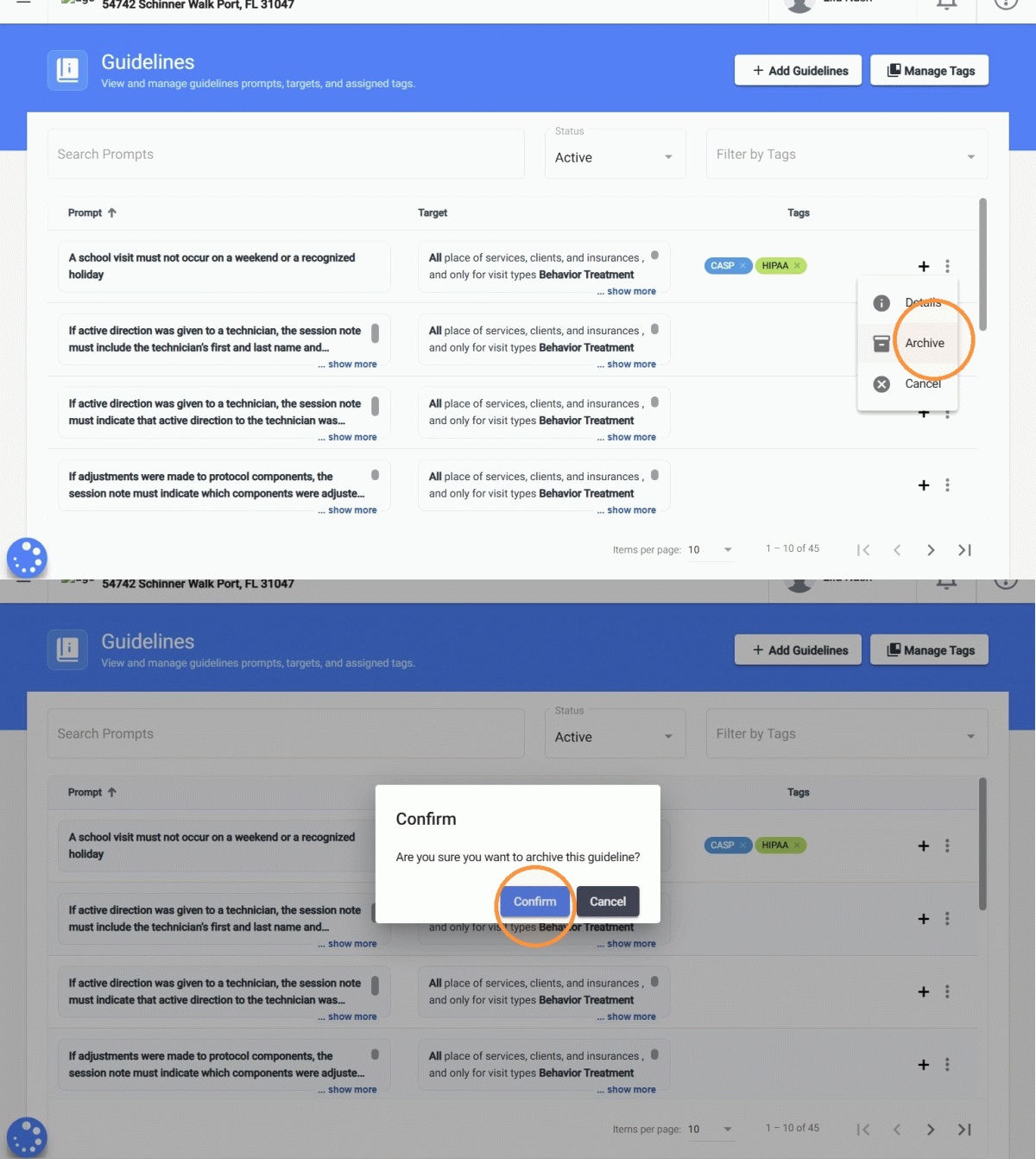
Archived guidelines are excluded from future AI audits but remain available if you decide to restore them later.
1.1 Organize Guidelines with Tags
4. Tags help organize large collections of guidelines. This make it easier to group, filter, and manage large collections of audit rules.
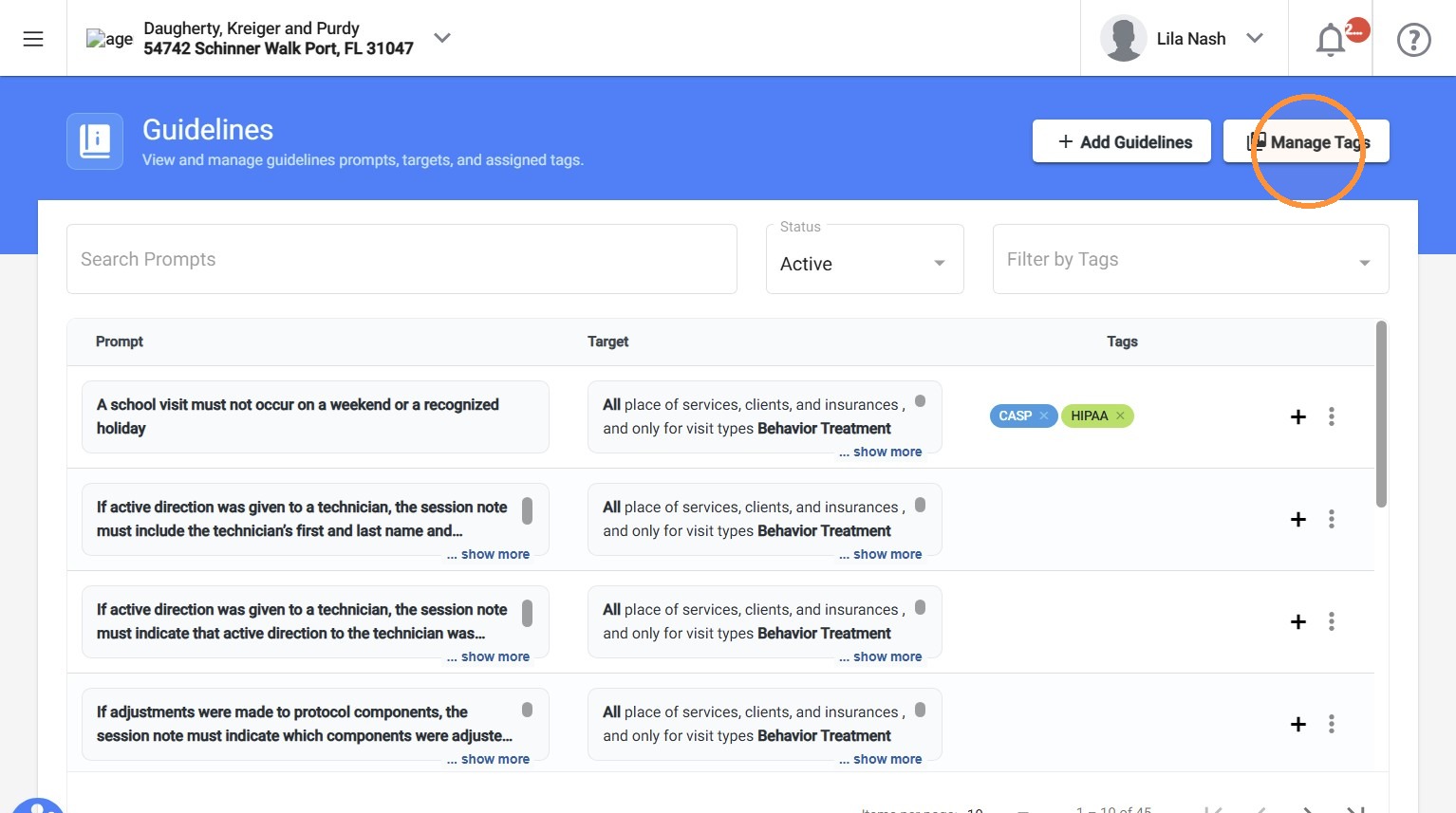
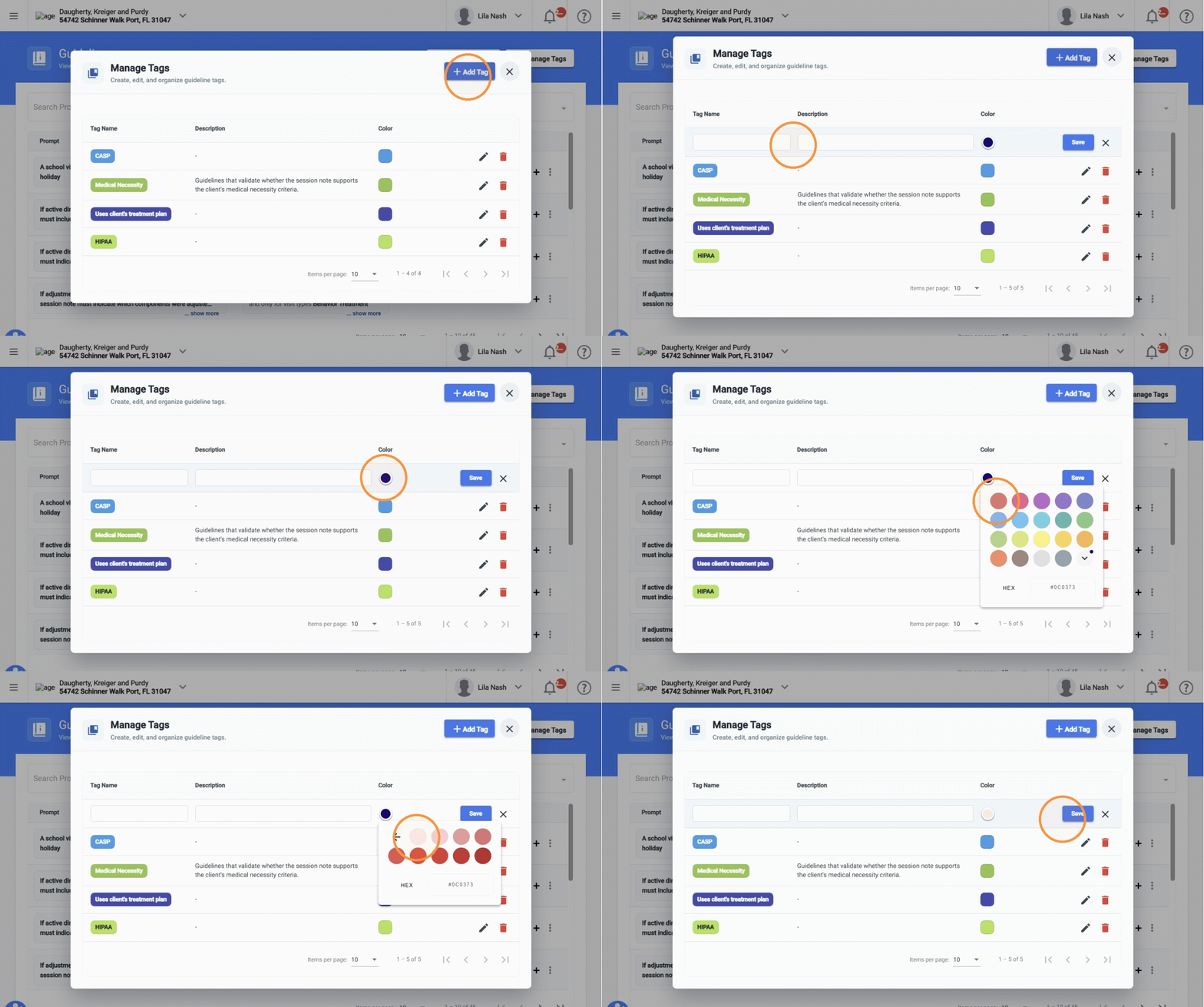
To create or manage tags, click Manage Tags and a window will open displaying all existing tags.
5. To create a new tag:
- Click + Add Tag in the upper-right corner.
- Enter a Tag Name, an optional Description, and choose a Color.
- Save the tag to make it available for use.
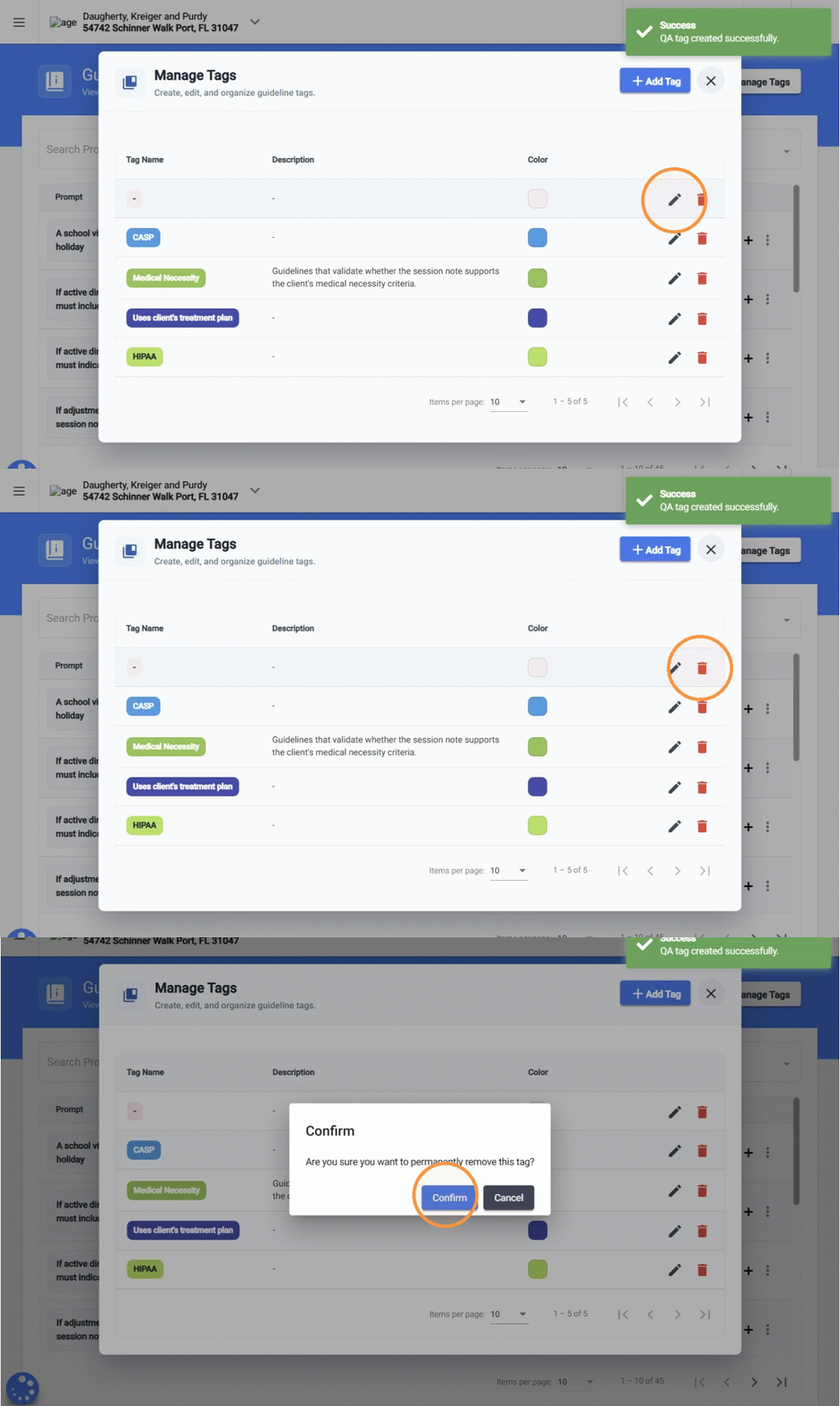
6. You can edit or delete a tag at any time by selecting the corresponding Edit (pencil) or Delete (trash) icon next to the tag.
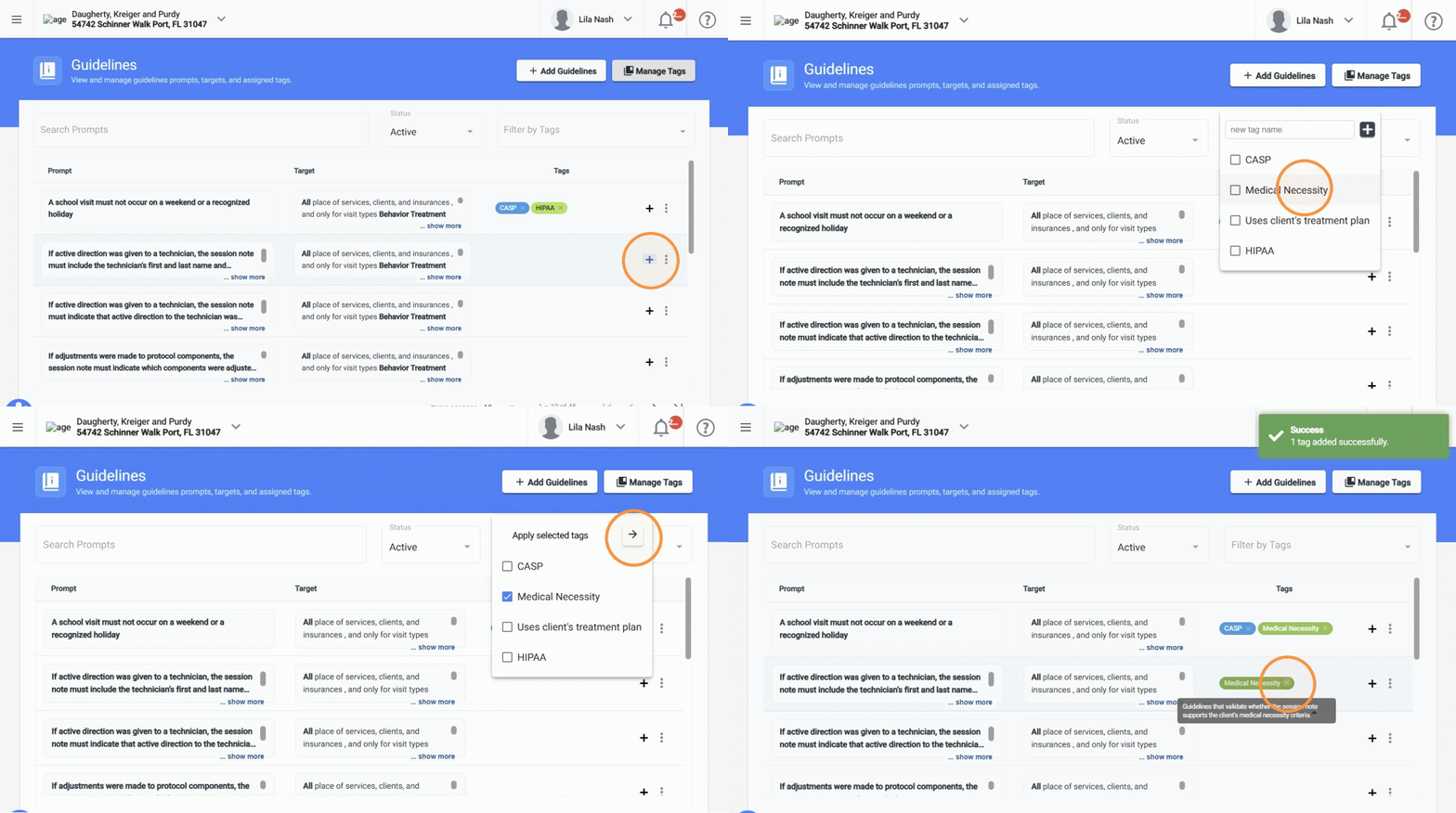
7. Applying Tags to Guidelines:
- Click the + icon next to the guideline, and a list of available tags will appear.
- Select the tag(s) you want to apply
- Click Apply selected tags.
The selected tags will then be associated with the guideline, making it easier to organize and filter related documentation standards.
2. AI Audits
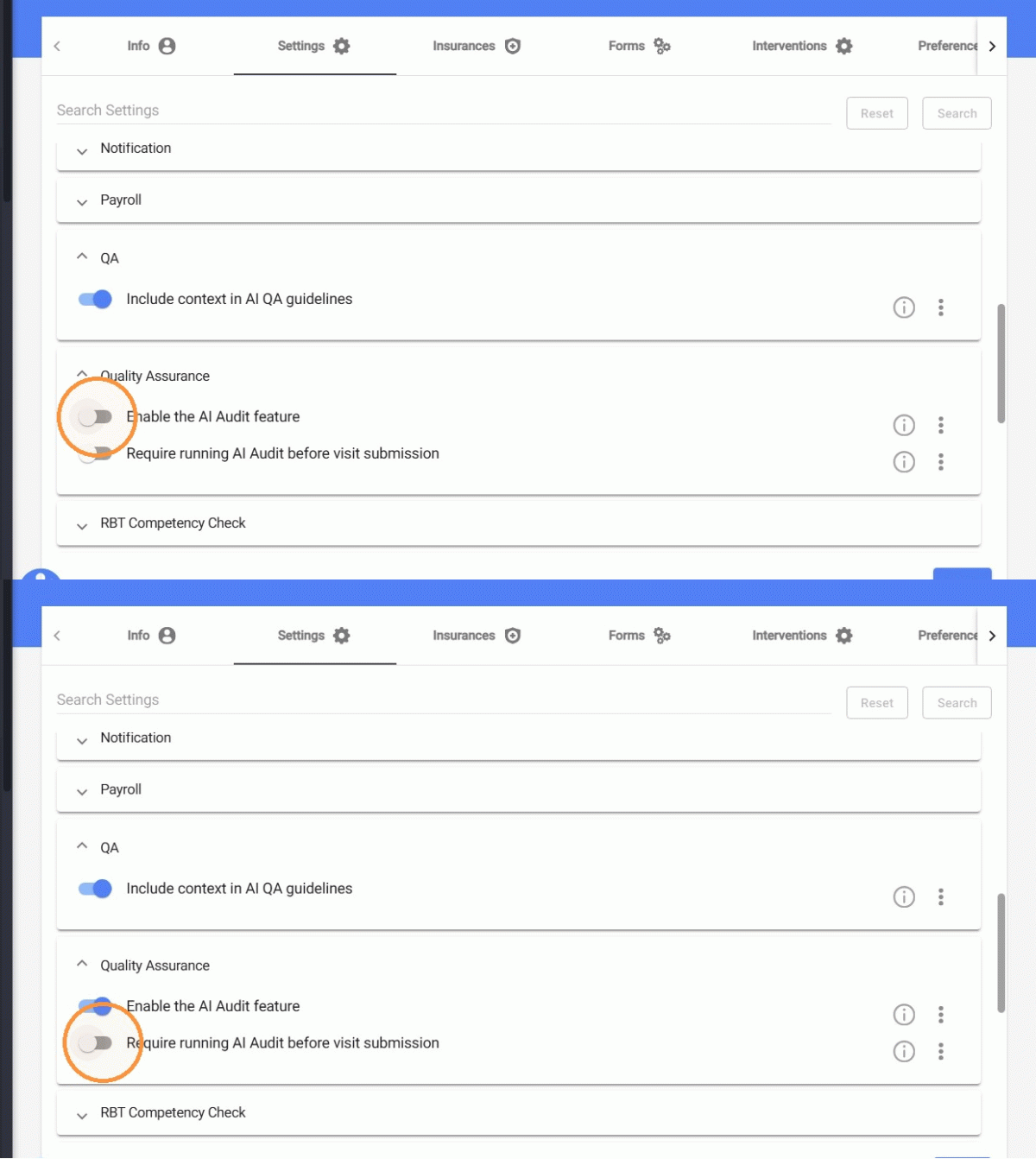
8. To use AI Notes Audits, go to Agency > Settings > Quality Assurance and turn on the Enable the AI Audit feature setting.
You can also require therapists to run a manual AI Audit before submitting their session notes by turning on the Require running AI Audit before visit submission setting. This helps identify and correct documentation issues before the note is submitted.
AI Note Audits are intended to support, not replace, clinical judgment. They help teams identify potential documentation issues earlier, save time during the review process, and gain greater insight into documentation quality and compliance.
Audit results should be reviewed and validated by qualified clinical and administrative staff before making final decisions, as AI-generated findings may contain mistakes.
2.1 AI Audits Workflow
9. Once therapists finish writing their session note, they can run an AI Audit manually before submitting it.
This allows them to verify that the note complies with the organization's documentation standards and identify any issues before it reaches the review process.
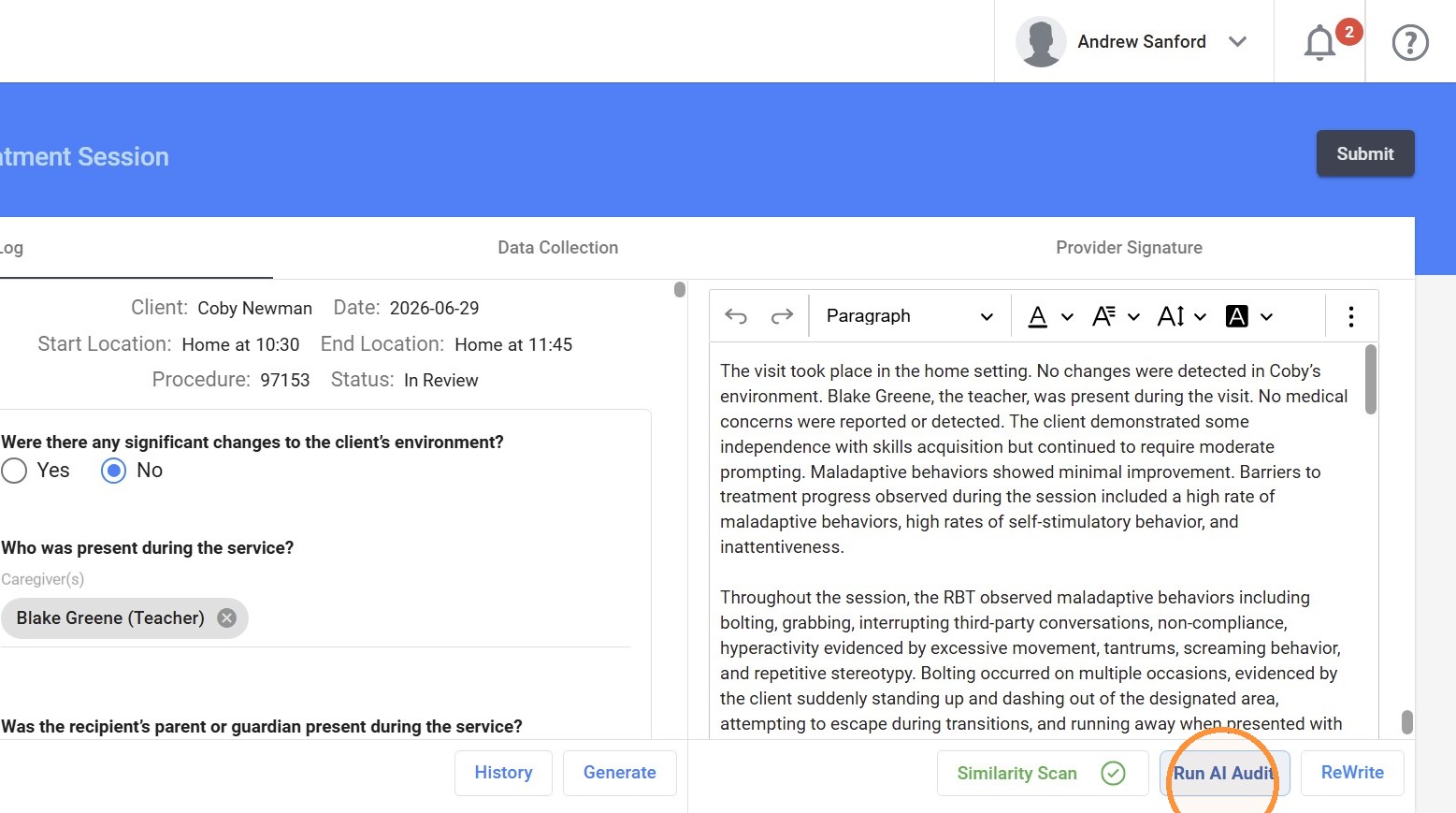
10. The AI analyzes the session in the context of the client's:
- Treatment Plan
- Medical Necessity and Background Information
- Active behaviors, replacements, skills, and interventions
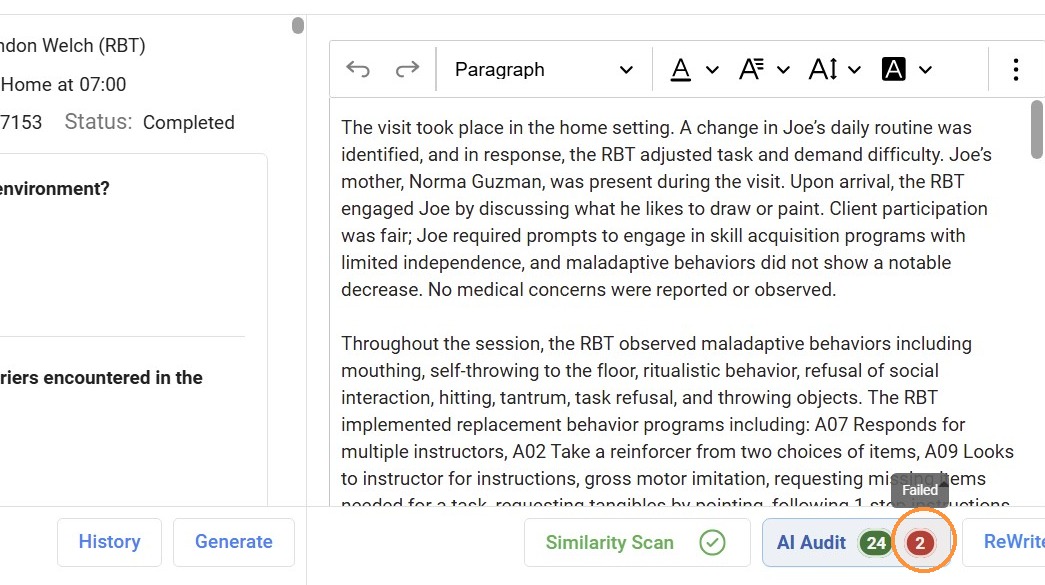
11. Therapists can review AI audit results before submitting the note. This allows them to:
- Identify documentation issues before submission.
- Correct missing or inconsistent information.
Instead of discovering documentation issues during Quality Assurance review, therapists can resolve them in real time.
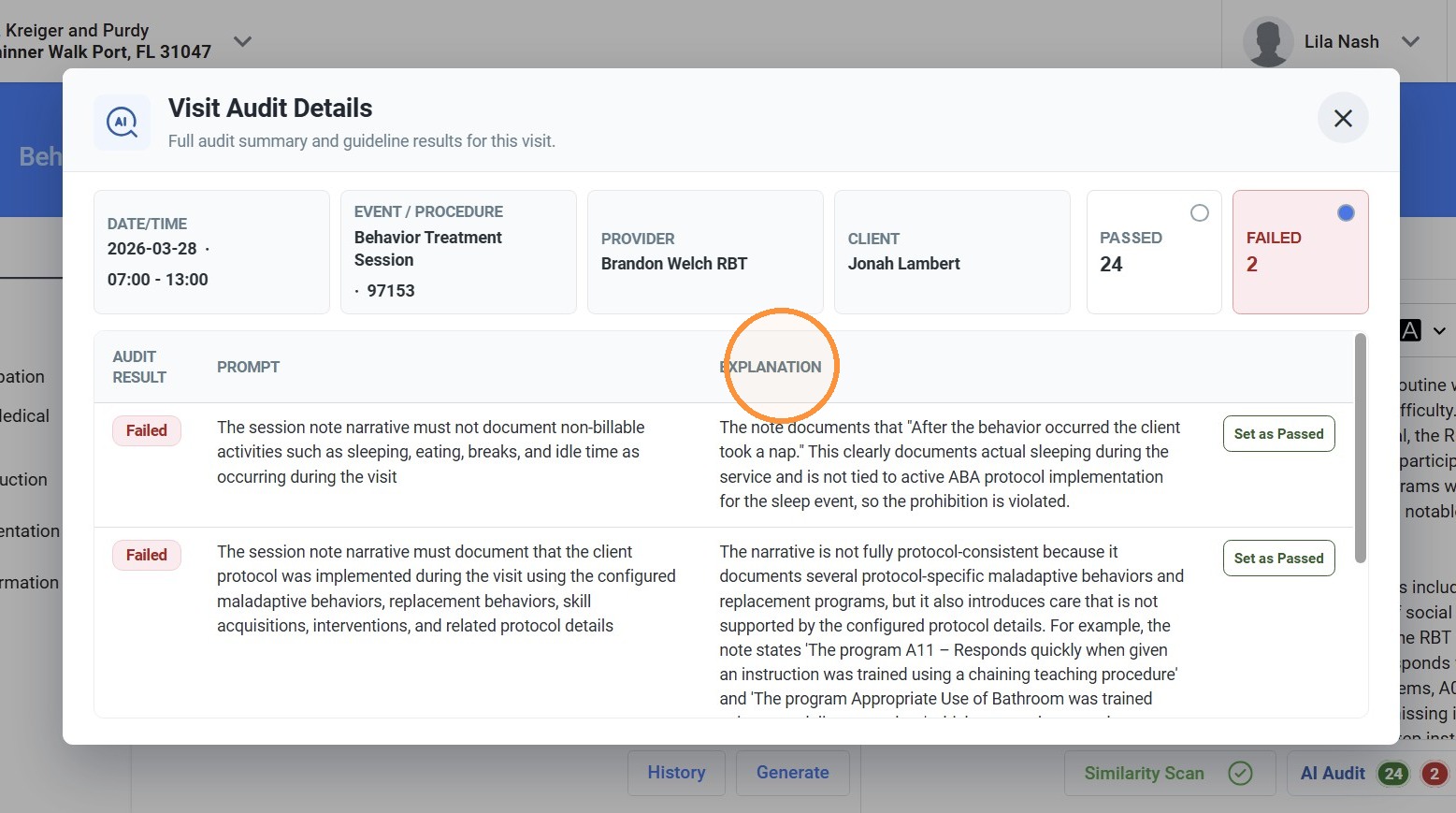
12. Analysts and administrators can access AI audit results through the Revision and Quality Assurance features, respectively.
They can quickly see whether a note passed or failed the AI audit before opening it for review.
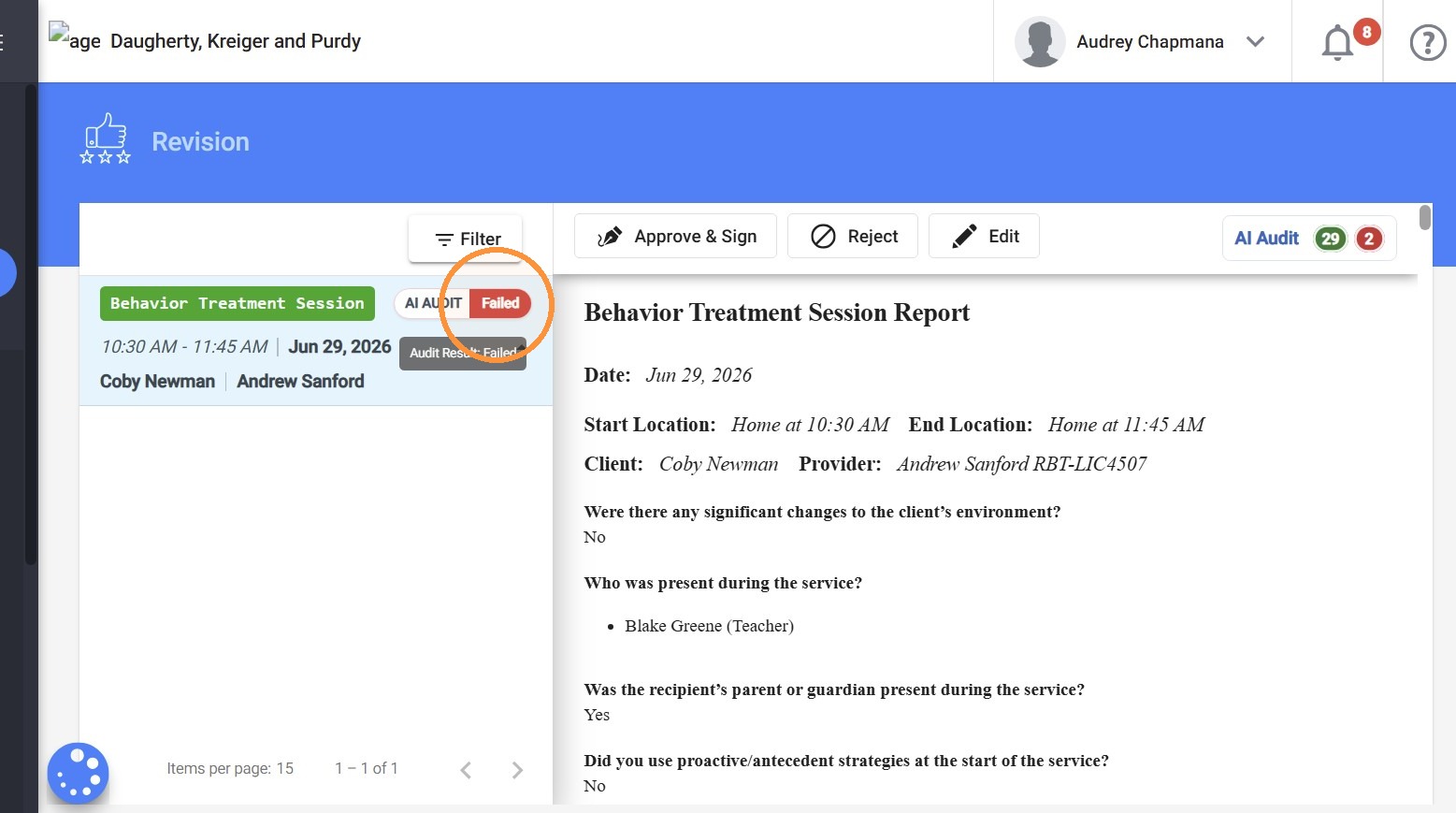
13. Reviewers have access to the AI Visit Audit Details, where they can see whether each guideline passed or failed and review the AI-generated explanation for each result.
This workflow helps reviewers make faster, more informed decisions while maintaining full control over the final approval process.
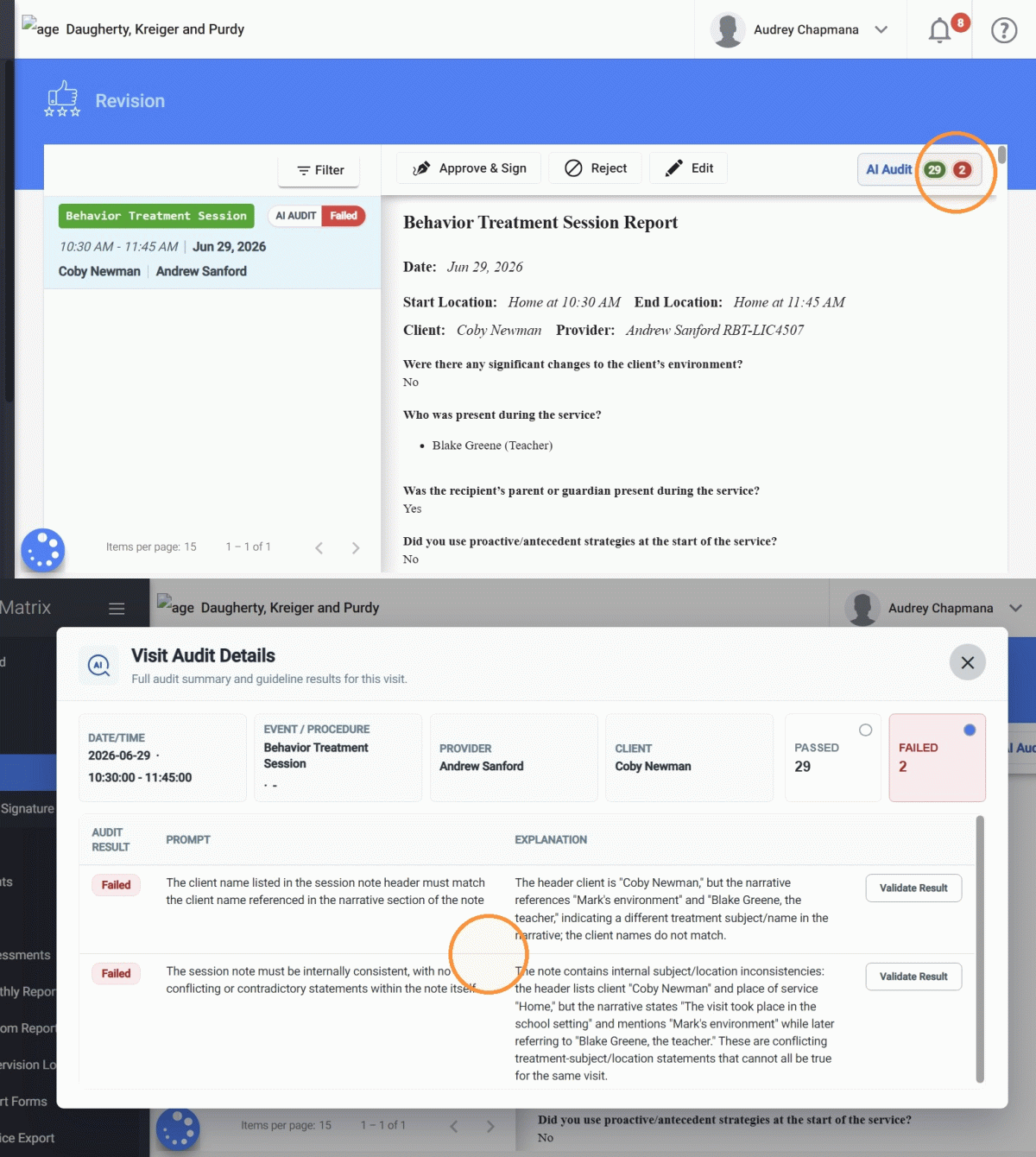
Refer to the Revision section for more information.
2.2 AI Audits page
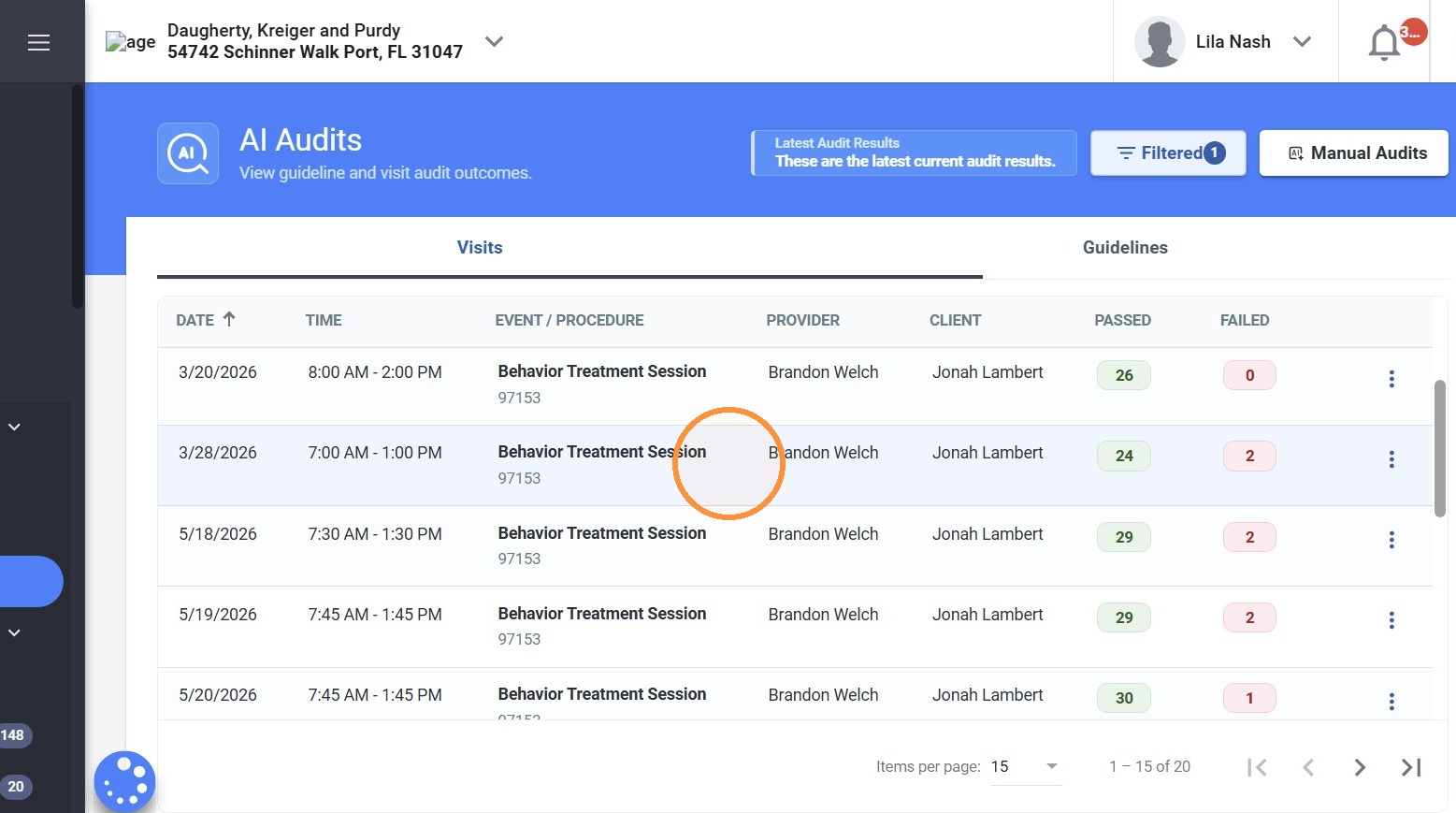
14. The AI Audits page provides a complete view of audit activity across the organization.
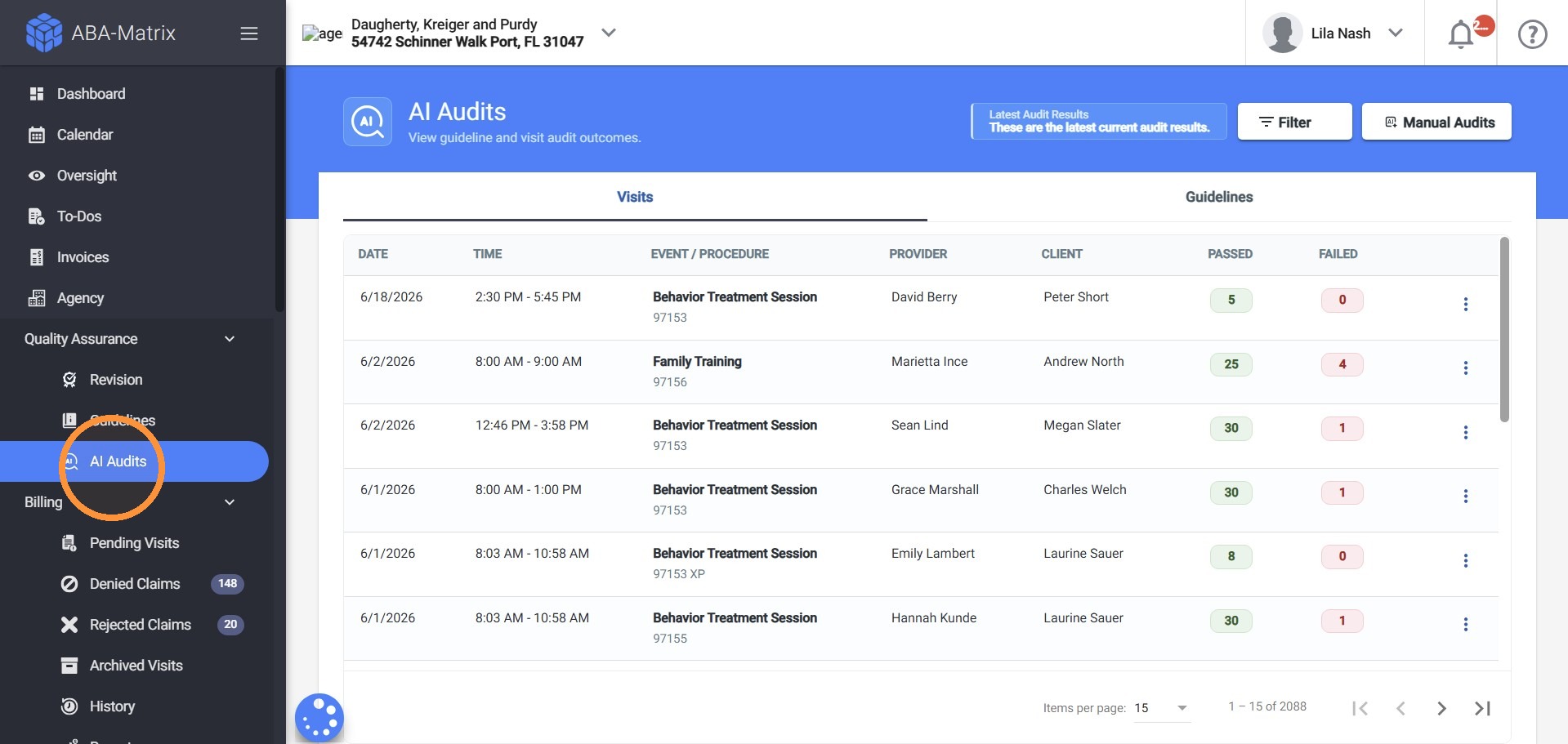
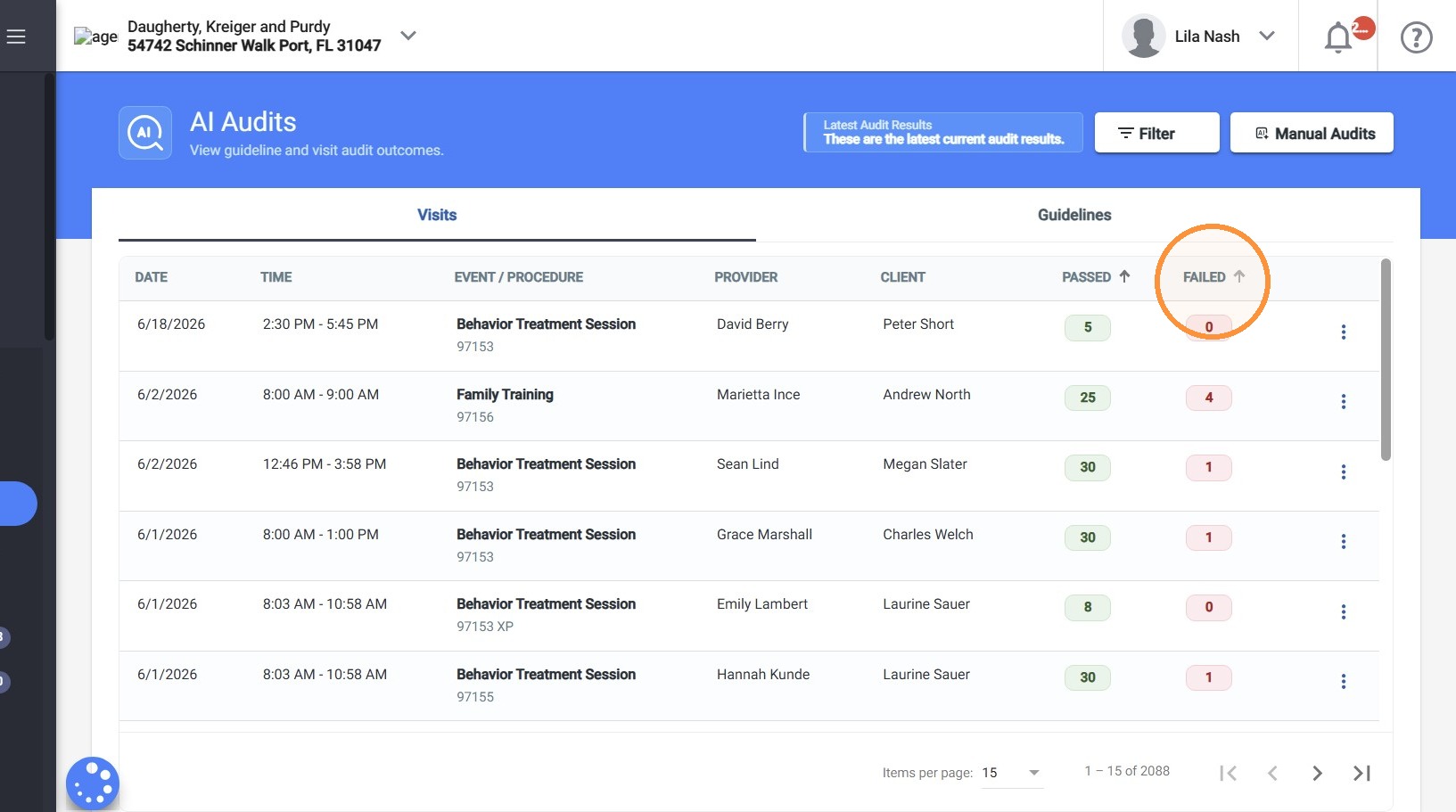
15. For every visit, you can immediately see how many guidelines passed and failed. This gives supervisors and administrators instant visibility into documentation quality.
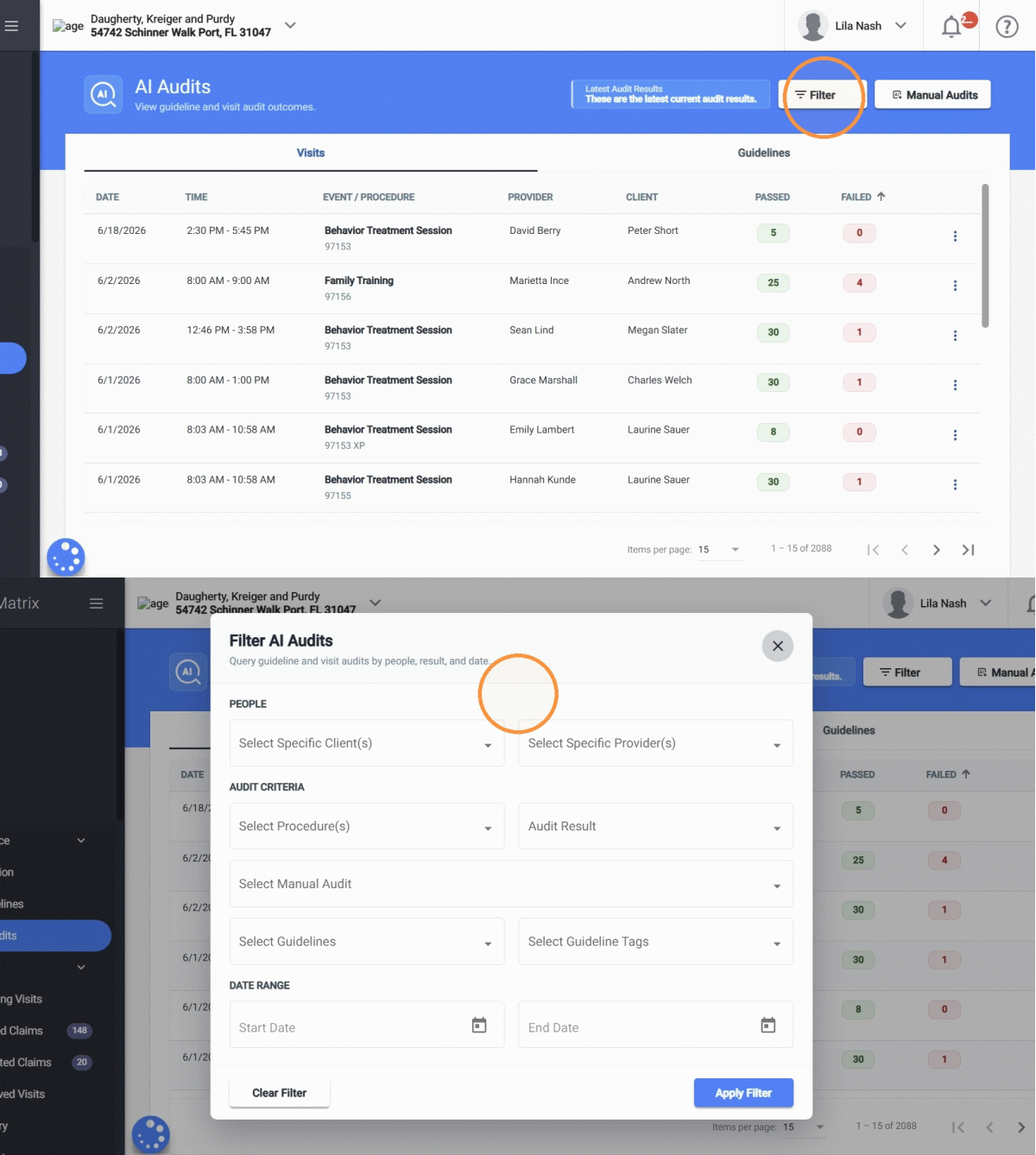
16. You can use the available filters to quickly locate audit results by client, provider, procedure, audit result, guideline, guideline tag, manual audit status, or date range.
Once you've located the desired audit, select the visit to review its detailed audit results.
2.3 AI Audit visit details
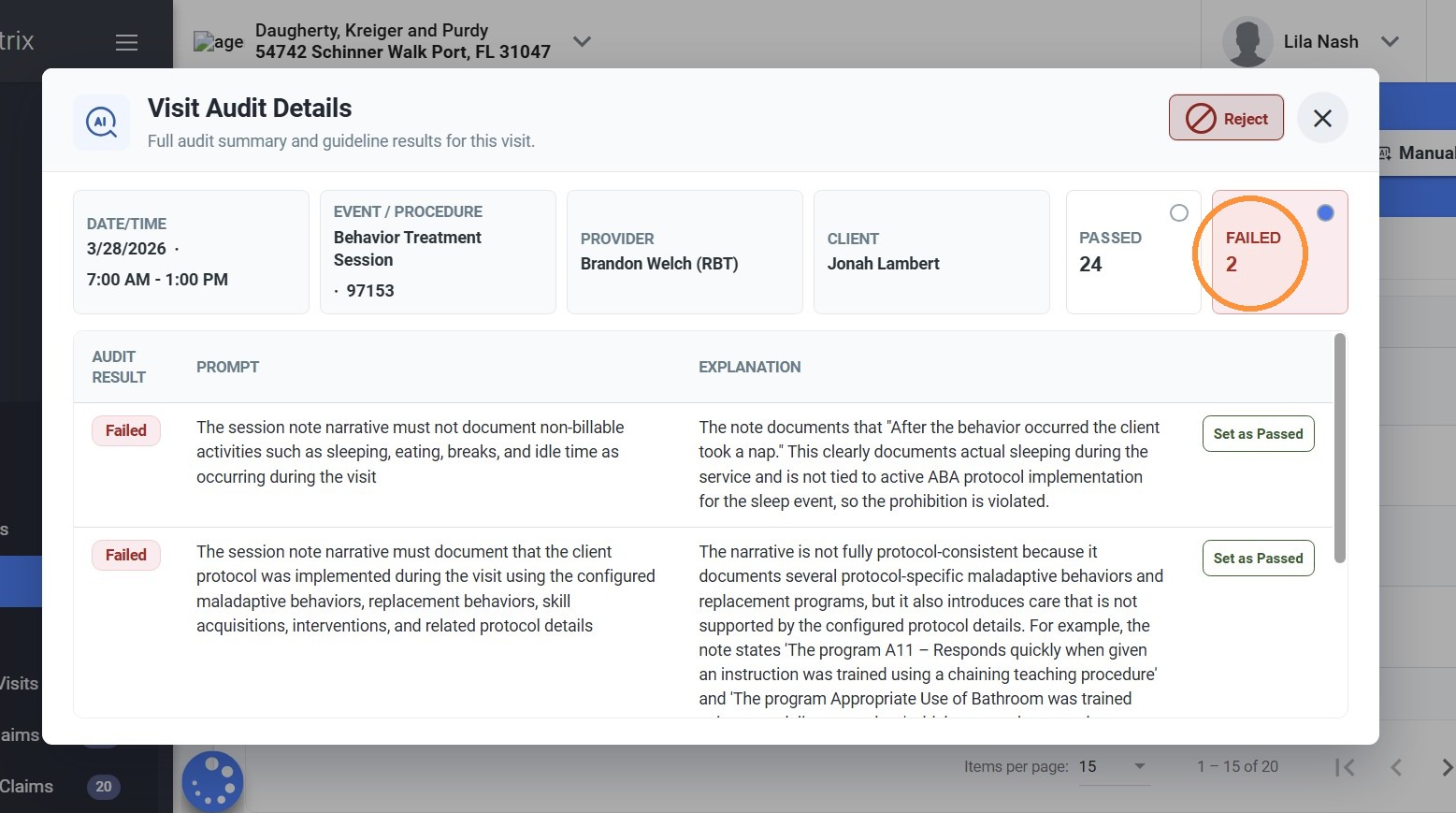
17. Select any visit to open the Visit Audit Details window.
18. For each guideline, reviewers can view the audit result, the guideline and the AI explanation, the supporting reasoning.
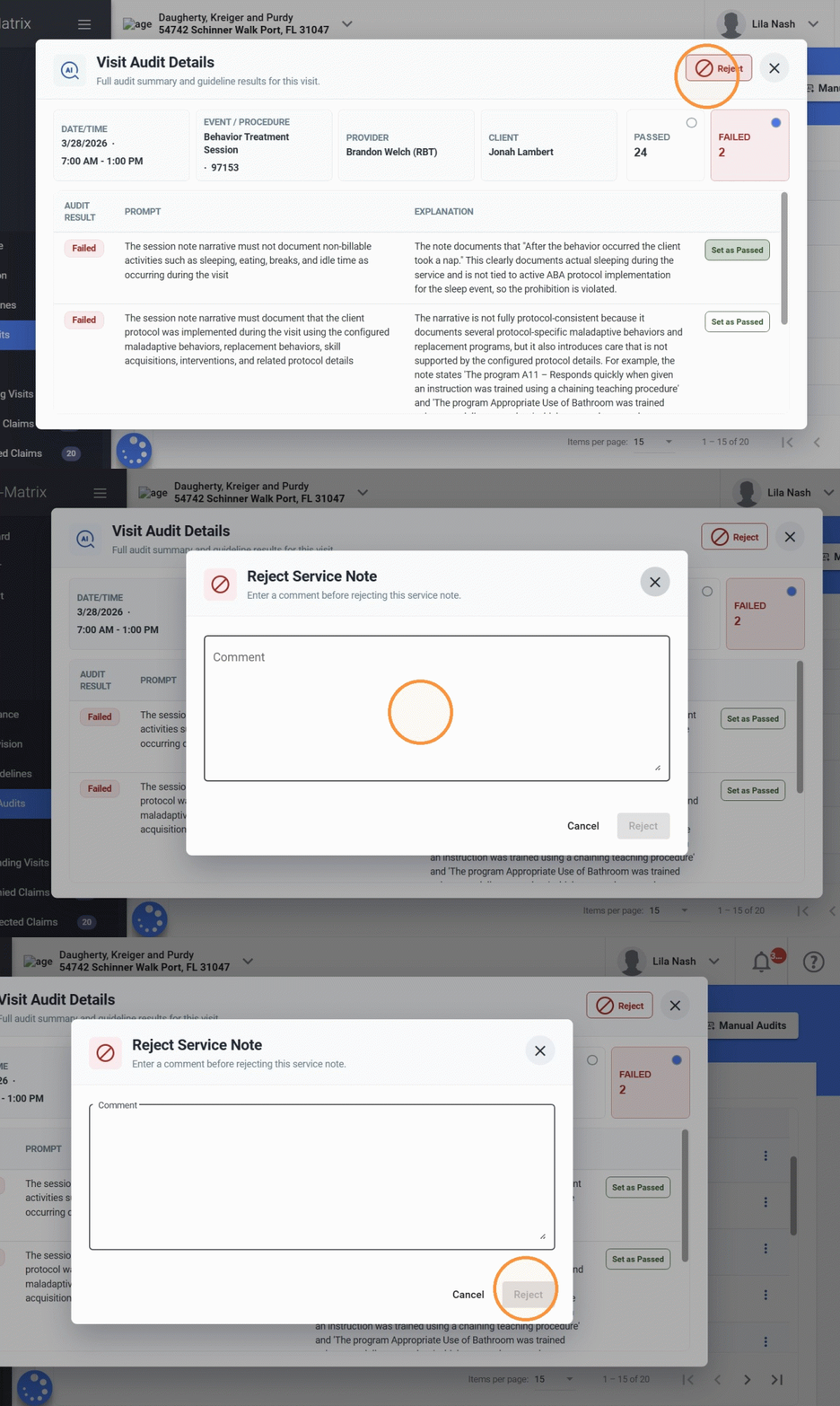
19. From this page, reviewers can also reject the session note directly if the documentation does not meet the required standards.
3. Revision
While AI Note Audits are not intended to replace clinical judgment, they help teams save time, identify potential documentation issues earlier, and gain greater visibility into documentation quality and compliance.
20. The Revision section is fully integrated with AI Audits.
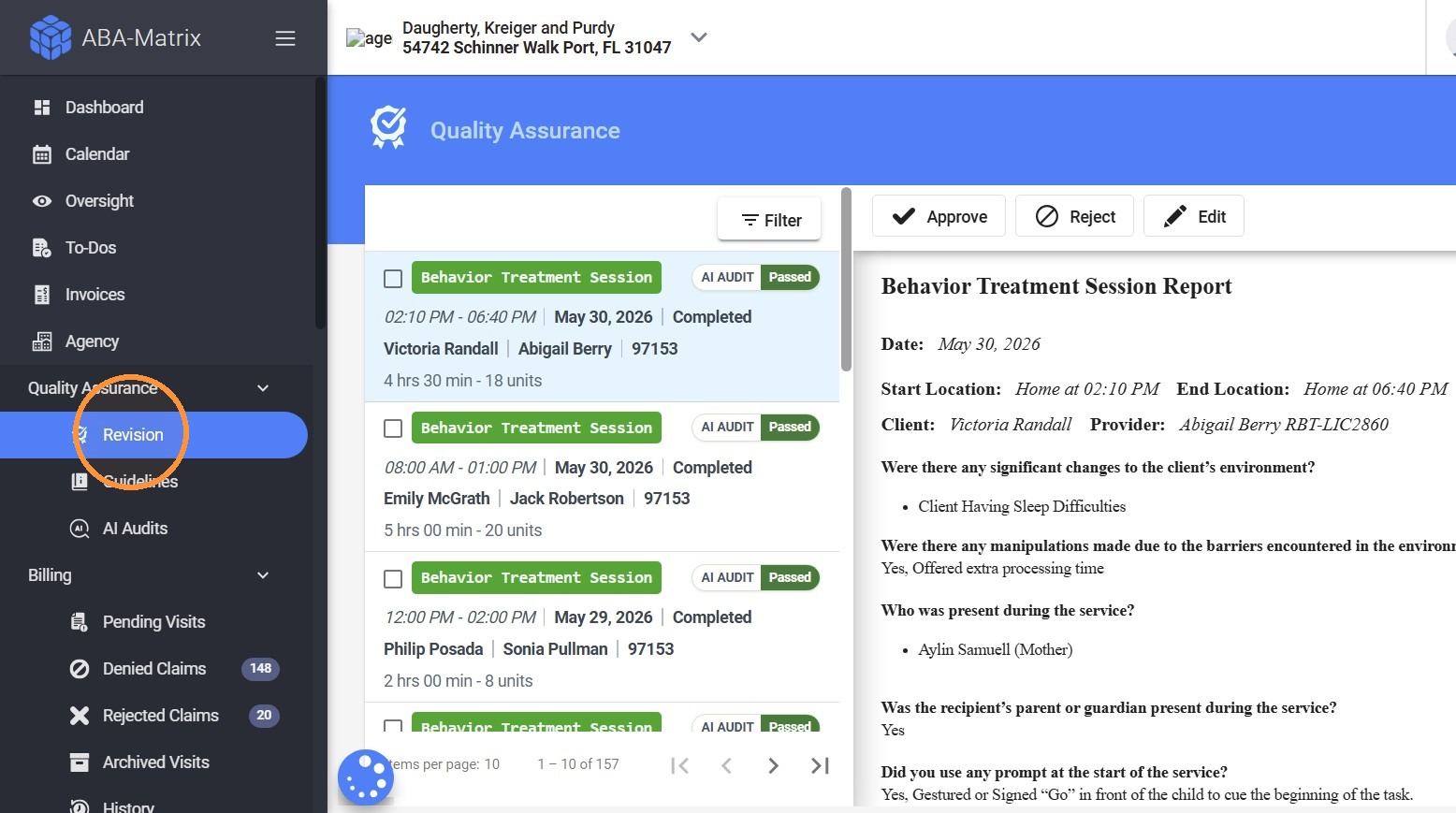
21. At a glance, reviewers can immediately identify the AI audit result for each visit, whether the session Passed or Failed the automated audit.
This allows reviewers to quickly prioritize notes that require additional attention.
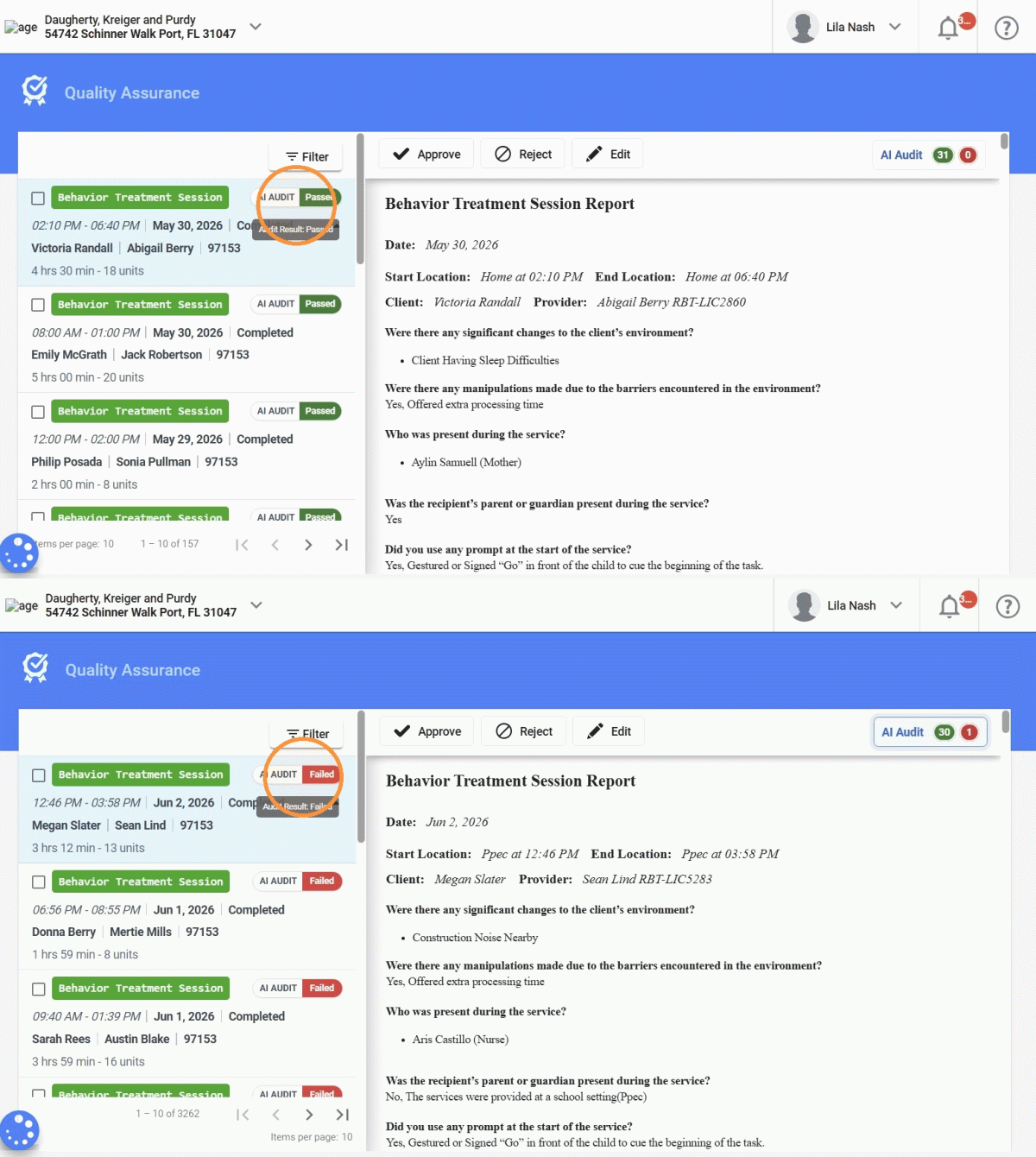
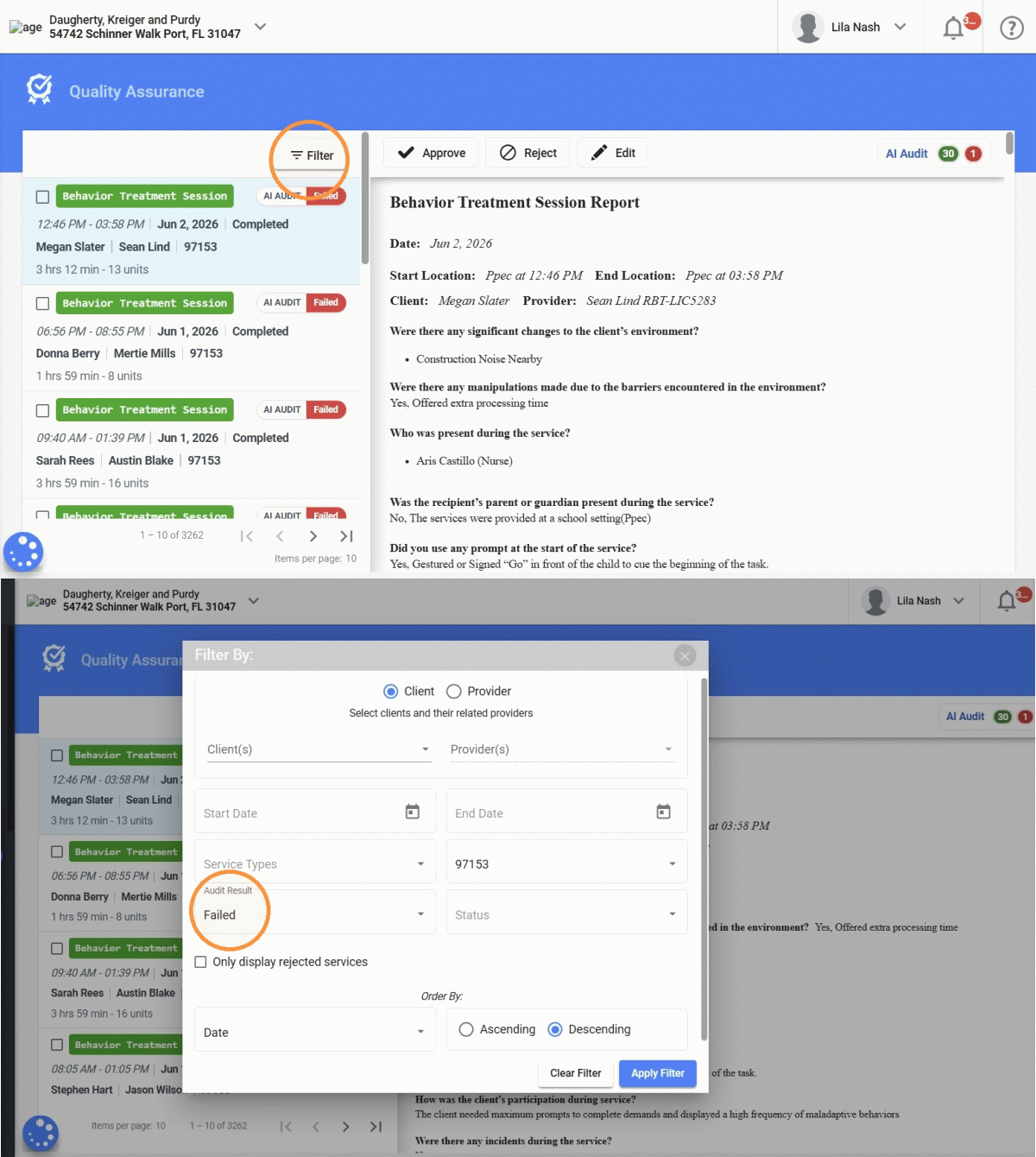
22. Use the Filter option to quickly locate the notes you want to review. You can filter by client or provider, date range, service type, procedure code, audit result, status, etc.
These filters make it easy to locate specific visits, review failed audits, or focus on notes that require action.
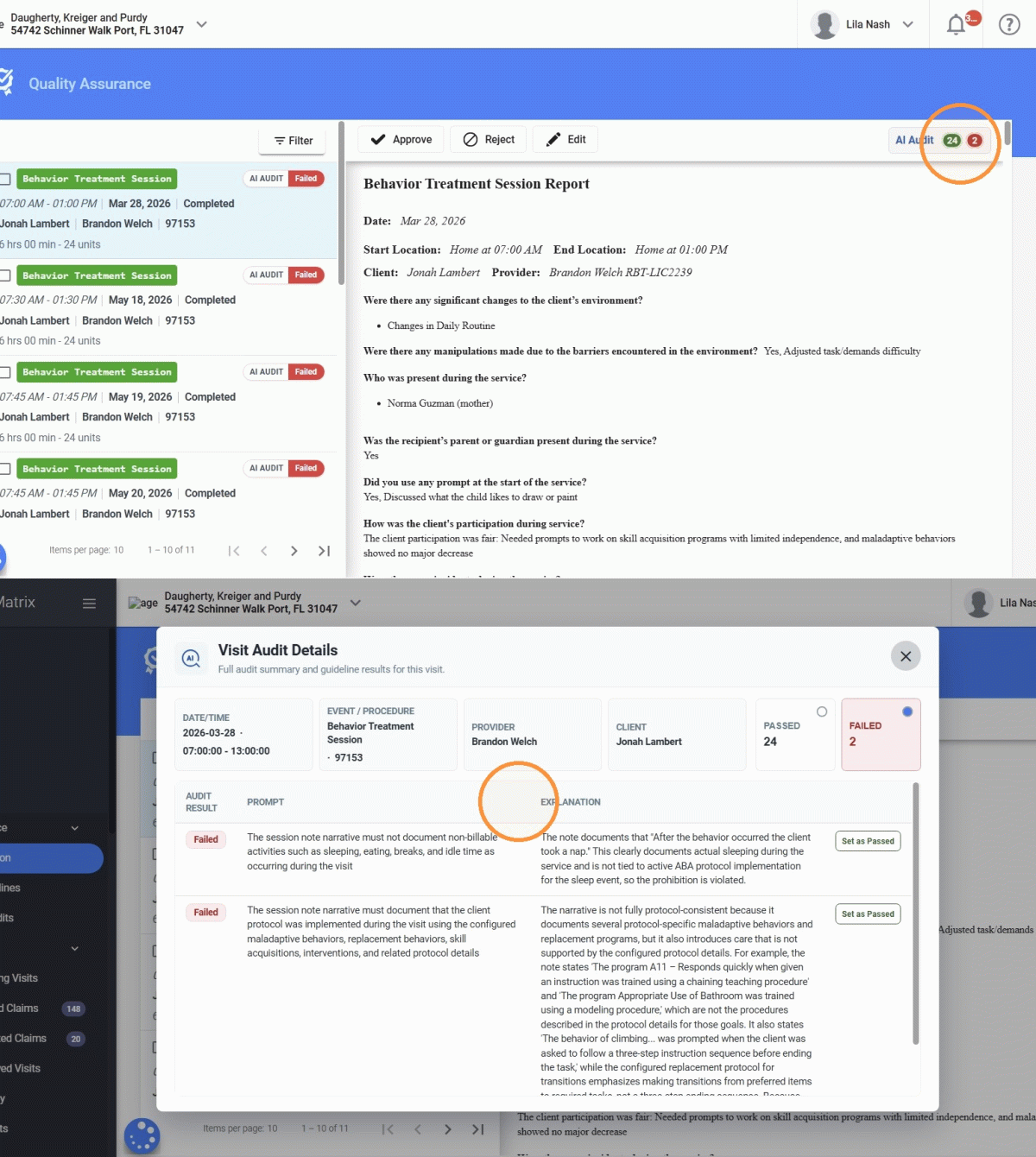
23. Selecting a visit opens the revision window, where reviewers have access to the AI Visit Audit Details. For each guideline evaluated during the audit, they can:
- View whether the guideline passed or failed.
- Review the AI-generated explanation for the result.
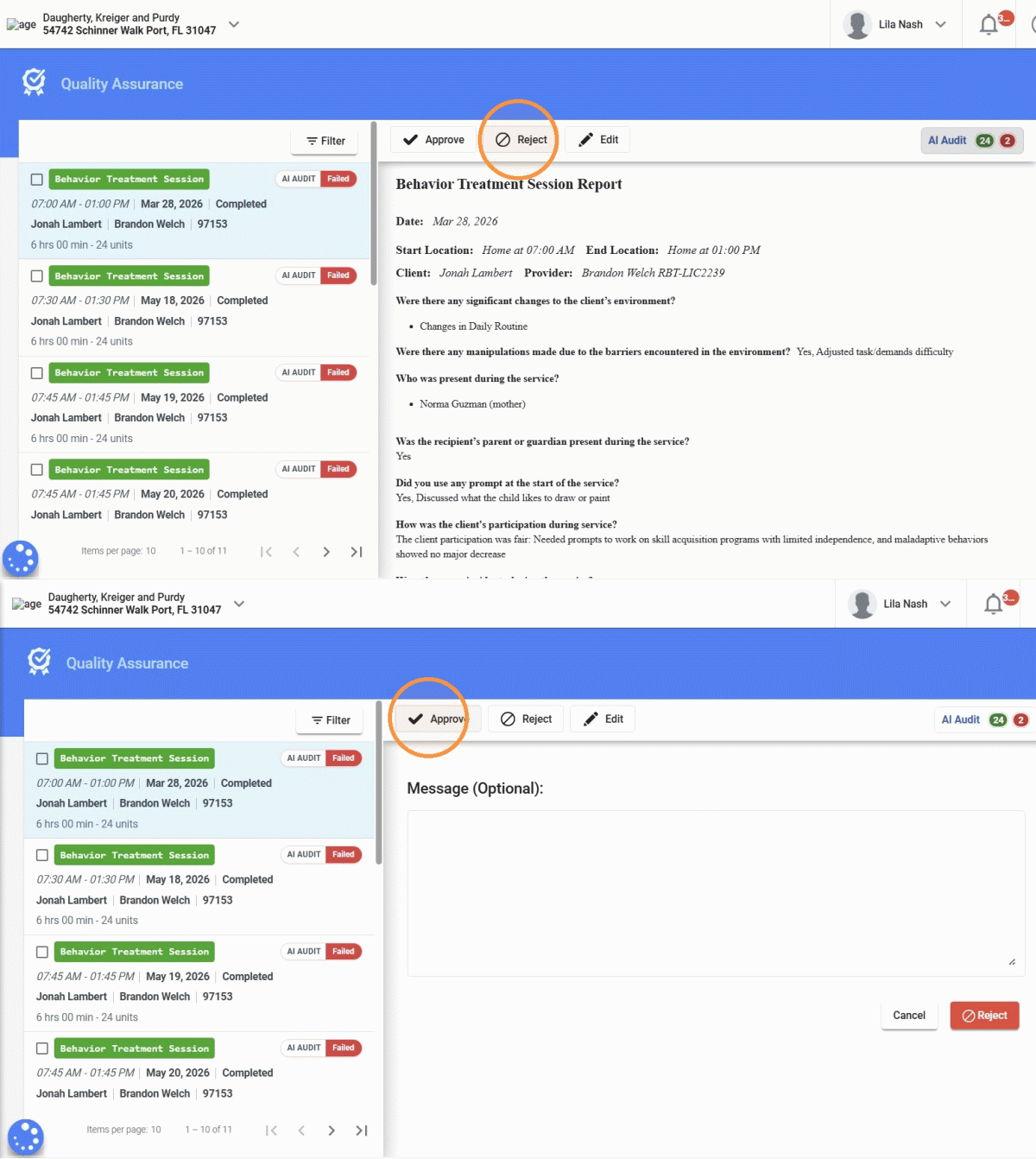
24. The AI audit is designed to support—not replace—clinical judgment. It provides additional context to help reviewers make informed decisions while maintaining full control over the final approval process. Based on their review, they can:
- Reject the note and return it to the therapist for correction.
- Approve the session note if it meets the organization's documentation standards.
3.1 Validate AI Audit Results
25. To continuously improve the accuracy of AI Note Audits, reviewers can validate the AI's evaluation for each guideline.
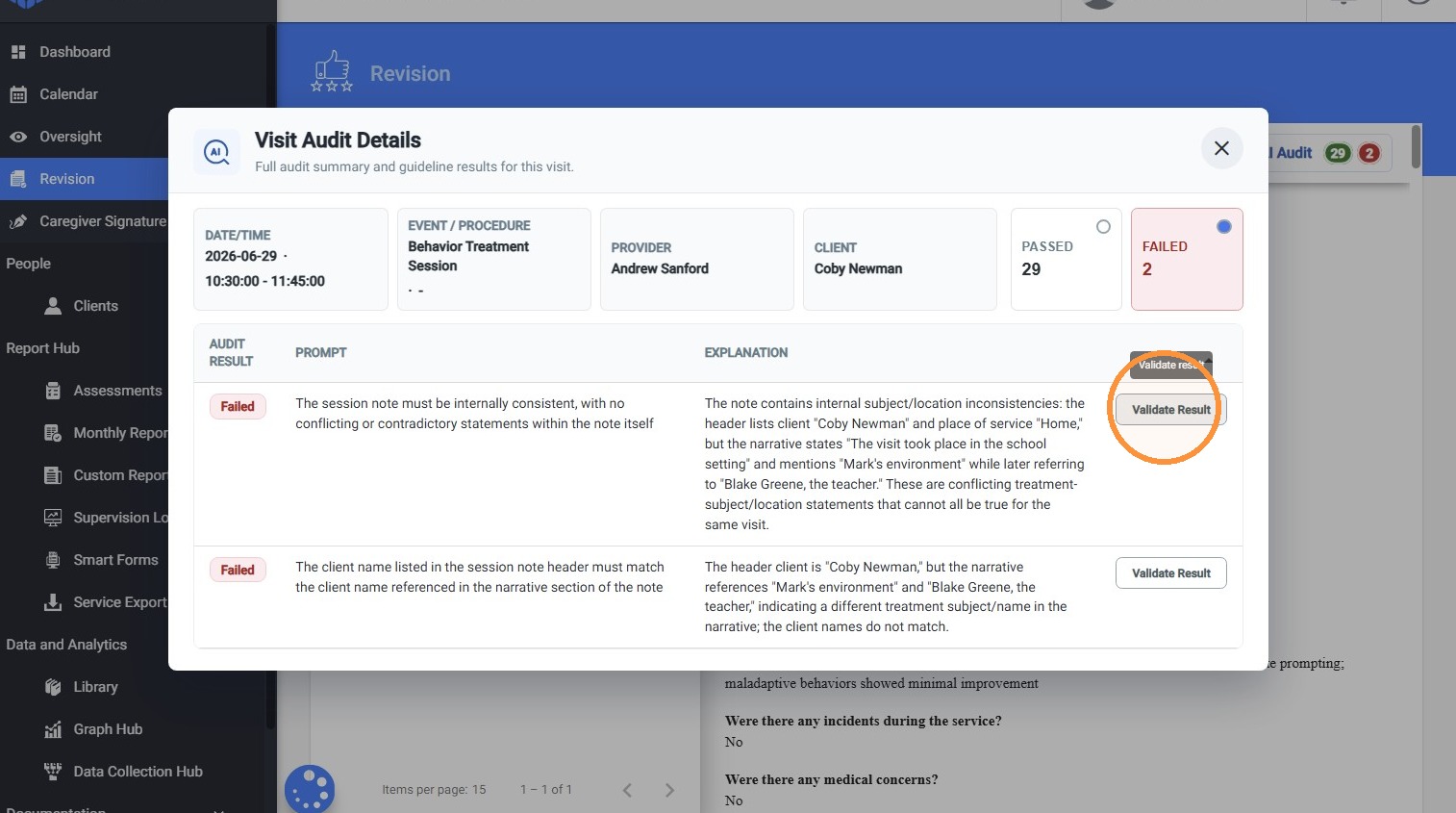
26. After reviewing the AI Visit Audit Details, reviewers can indicate whether the AI correctly evaluated the guideline by selecting Yes or No.
For example, if the AI marked a guideline as Failed and the reviewer agrees with that result, they can select Yes. If the reviewer believes the AI's evaluation is incorrect, they can select No.
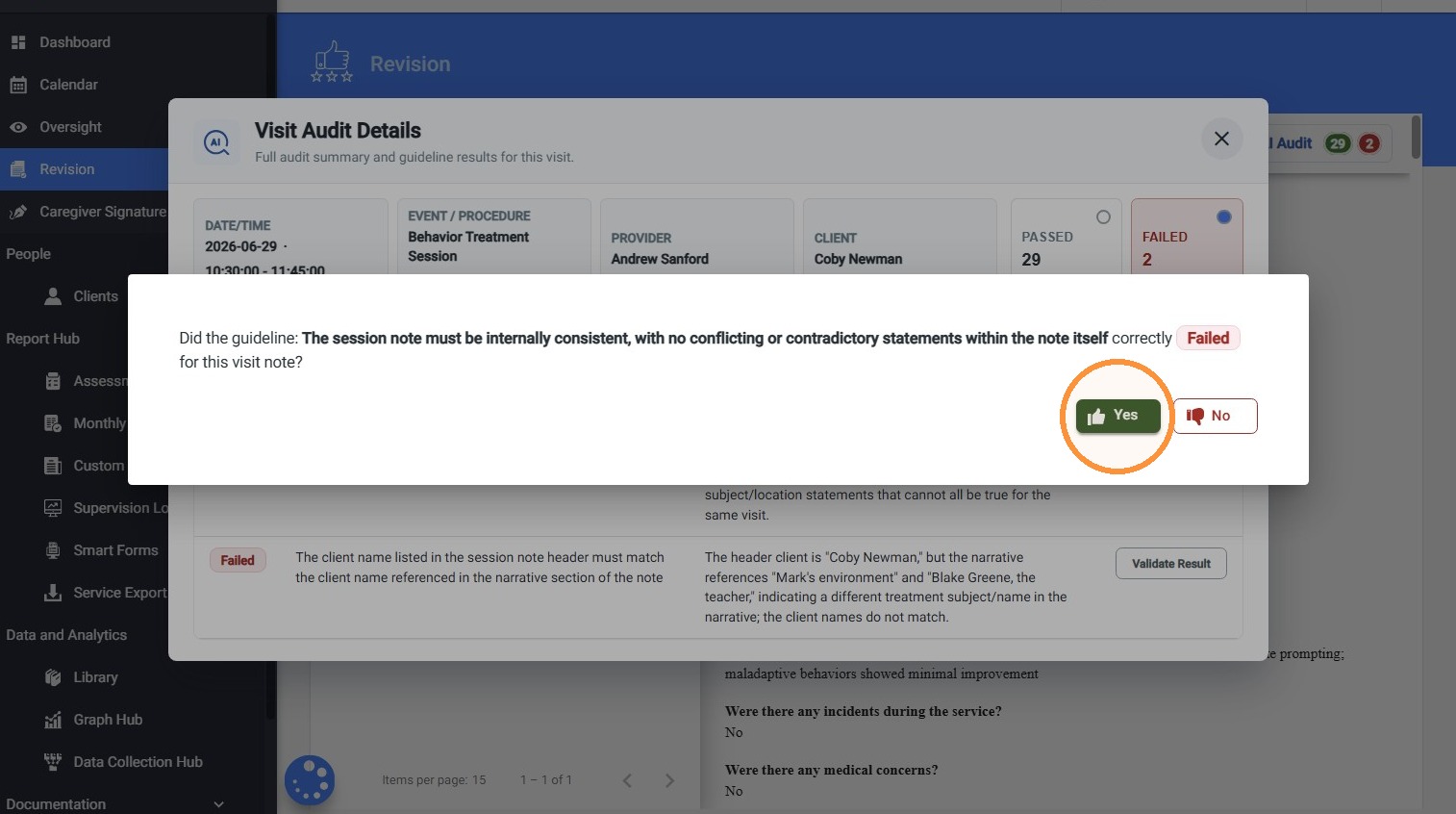
This validation provides valuable feedback that helps improve the AI revision process over time, increasing the accuracy and reliability of future audits.