How to collect Prompt-level data (for RBTs)
This guide is essential for effectively collecting prompt-level data during behavior treatment sessions. It provides clear instructions on how to select and apply prompt levels for individual trials or across all trials, ensuring accurate tracking of client progress. Additionally, the guide highlights the benefits of real-time data visualization, allowing practitioners to instantly monitor levels of independence and the amount of support provided.
1. Inside the Behavior Treatment Session Note
1. If a replacement behavior or skill has prompt-level data collection enabled, you will be able to select the prompt level for each trial as you enter data.
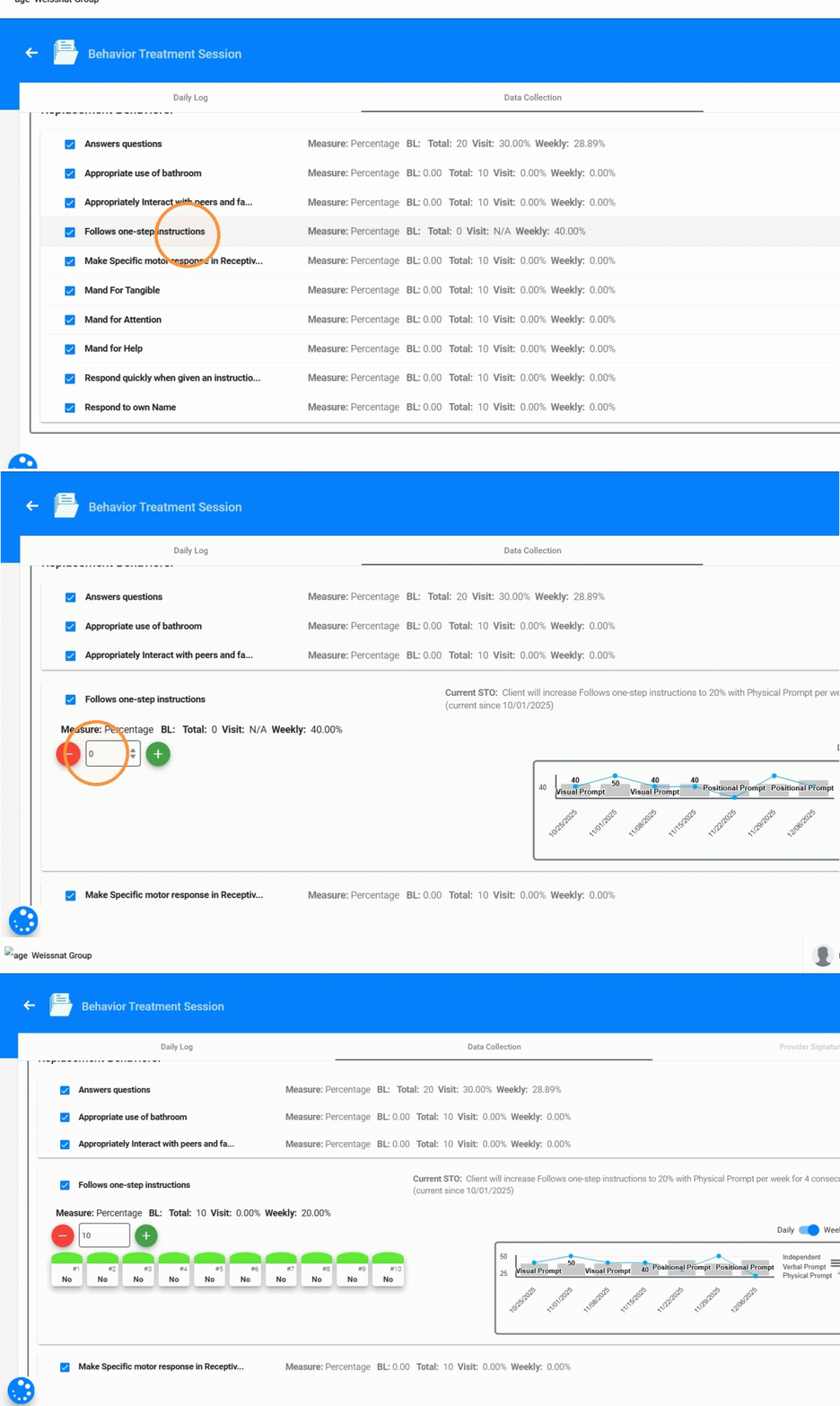
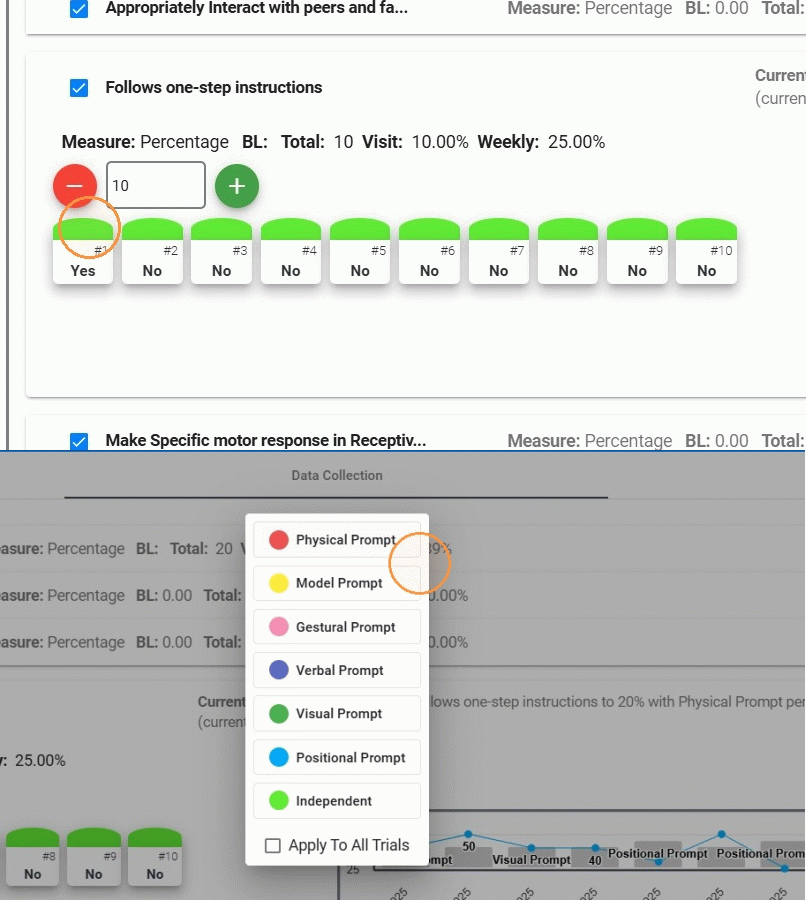
2. When adding trials, you will see a prompt selector icon above the trial.
Clicking this selector opens a panel displaying all available prompt levels, based on:
- The prompts defined for the entire program: These are the prompts you can use at any time while running the program. They apply to all targets or all trials, regardless of the STO you’re working on.
- The prompts linked to the current STO if applicable: In some cases, your supervisor may choose specific prompts that should be used only for a particular STO. When this happens, you will only see the prompts that are allowed for the STO you’re currently running.
3. You can choose a prompt level for each individual trial
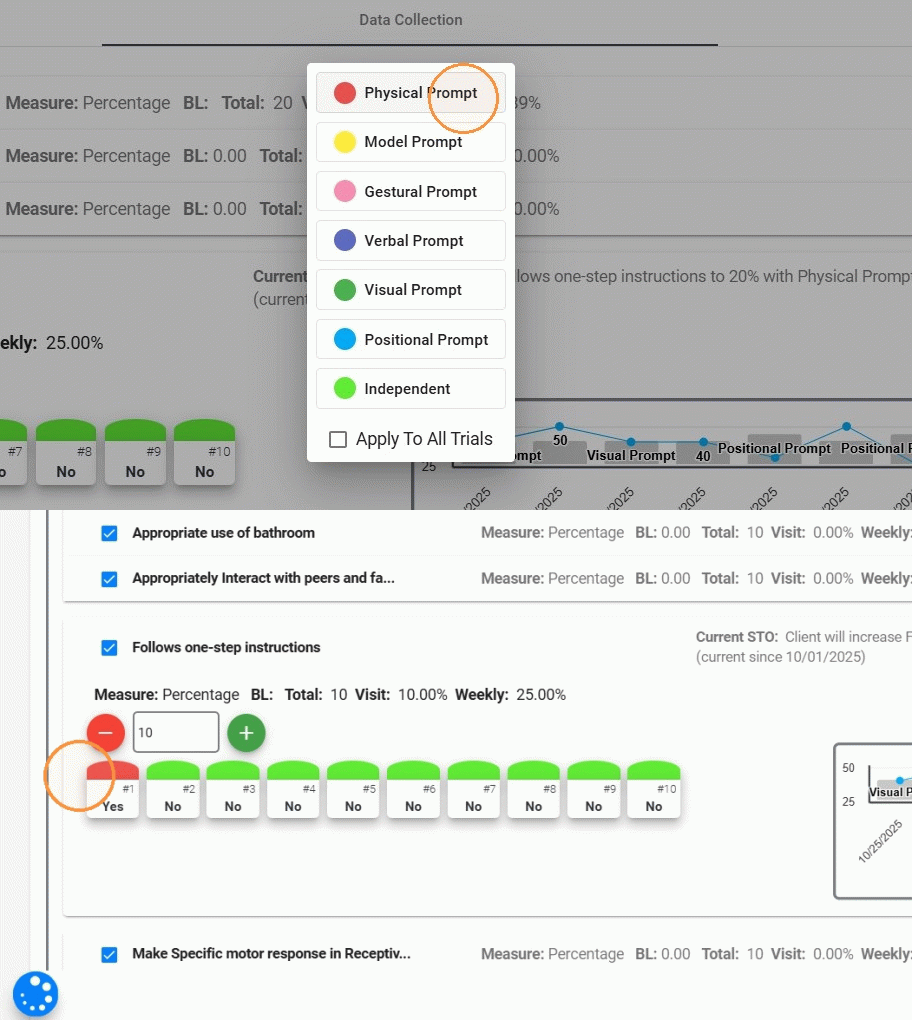
4. Or you can use the "Apply to All Trials" option, just click it and then select the prompt level you want to apply to every trial in that entry.
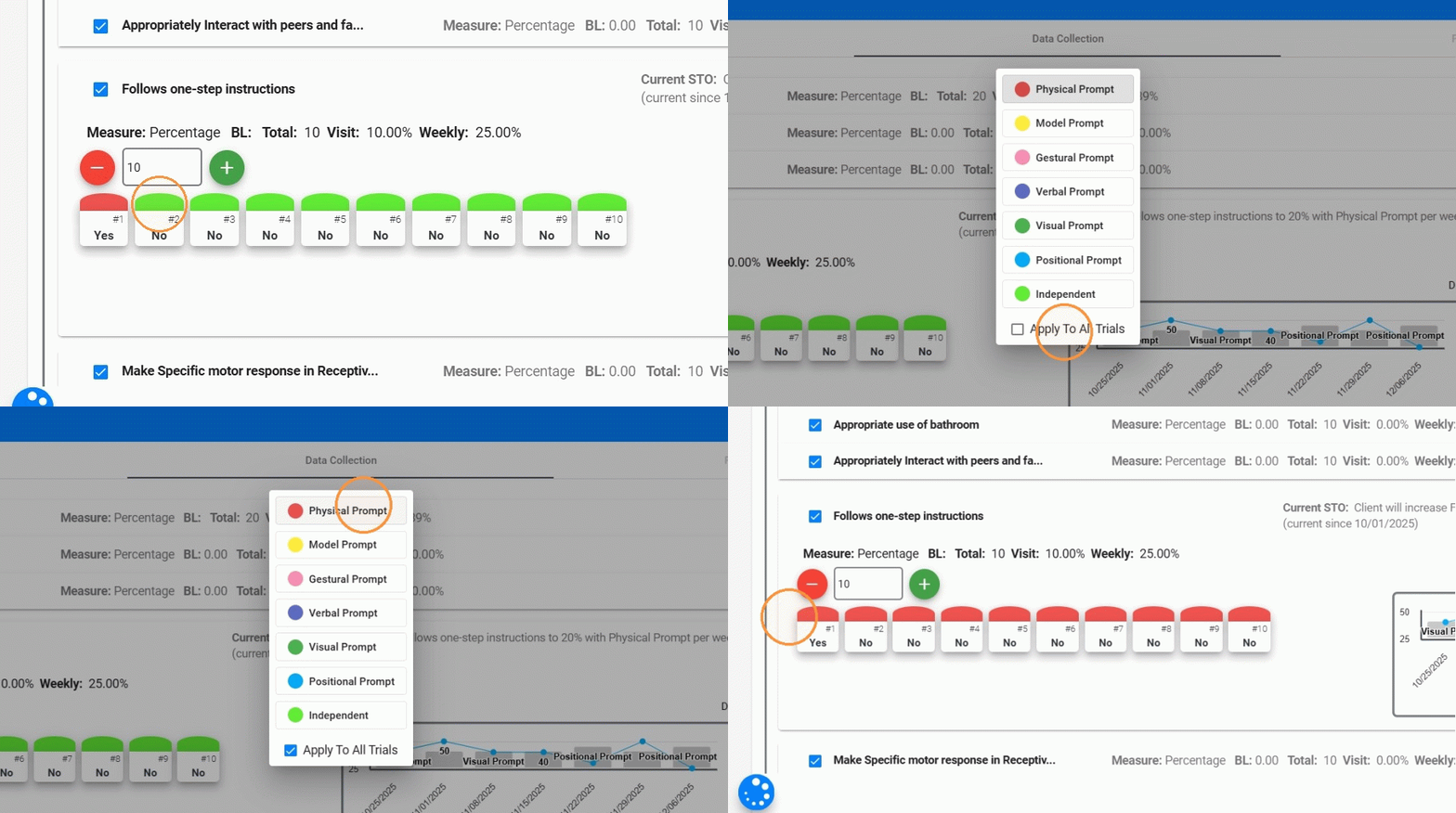
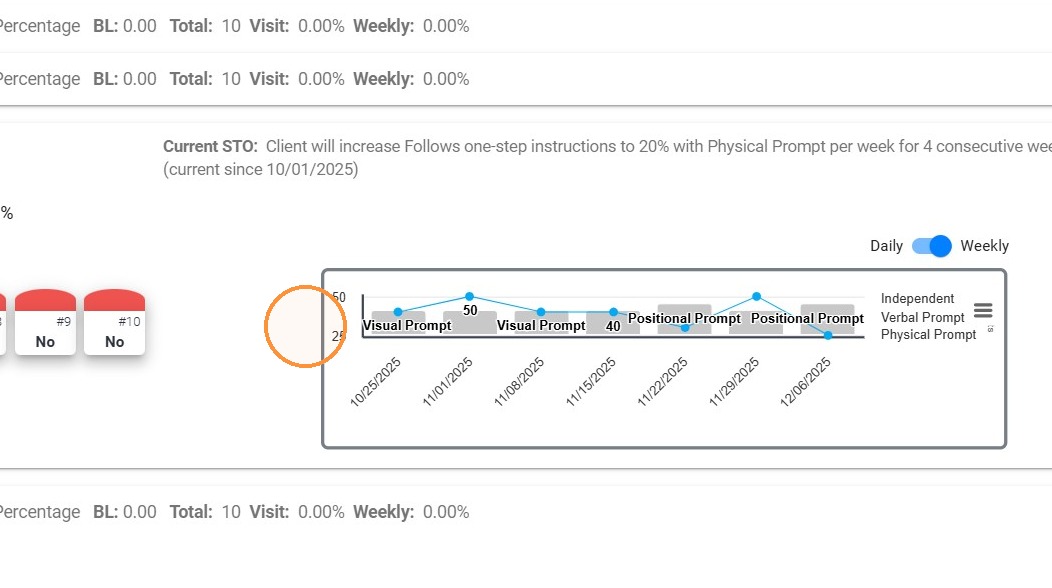
5. As you record prompt data, the live data collection graph will automatically update to reflect prompt usage, giving you immediate visual feedback on levels of independence and support.
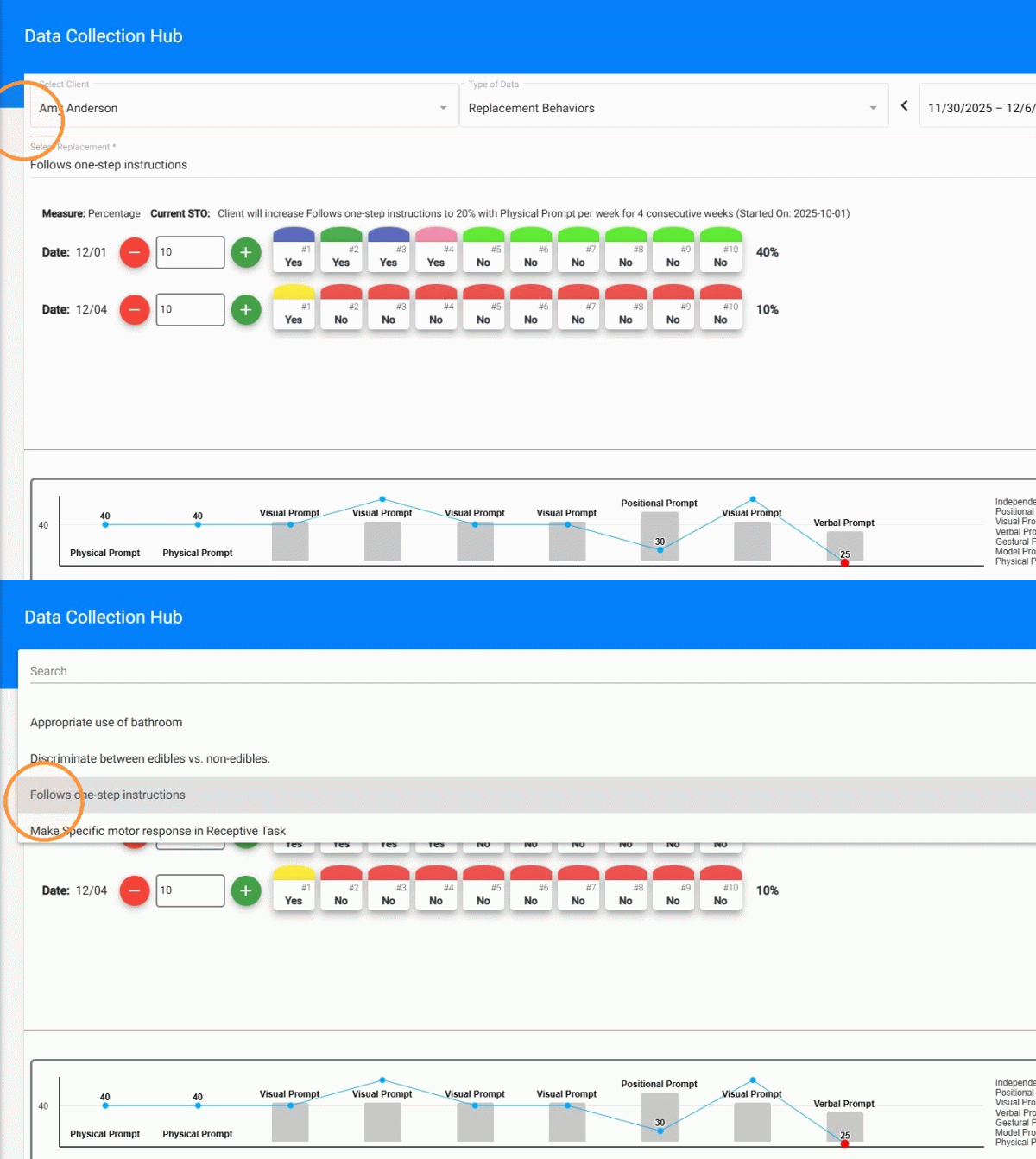
2. Inside Data Collection Hub
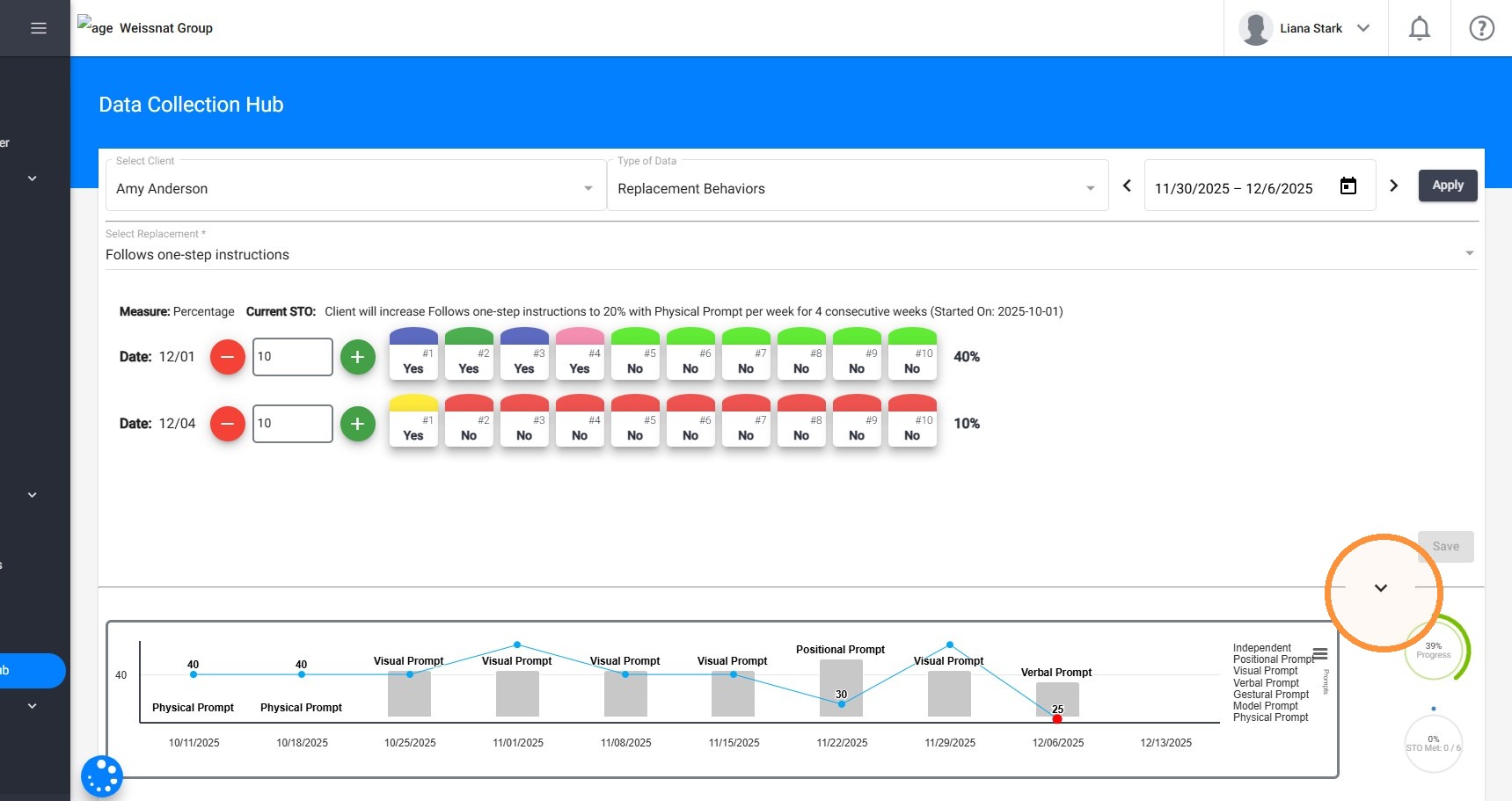
6. After selecting the client, type of data, date range, and the behavior, replacement, or skill you want to review, the system will display all session dates within the selected period. From there, you can enter data just as you would inside the session note.
7. If the program includes prompt-level data collection, the same prompt selector will appear when adding trials. You can:
- Select the prompt level for each trial
- Apply the same prompt across all trials
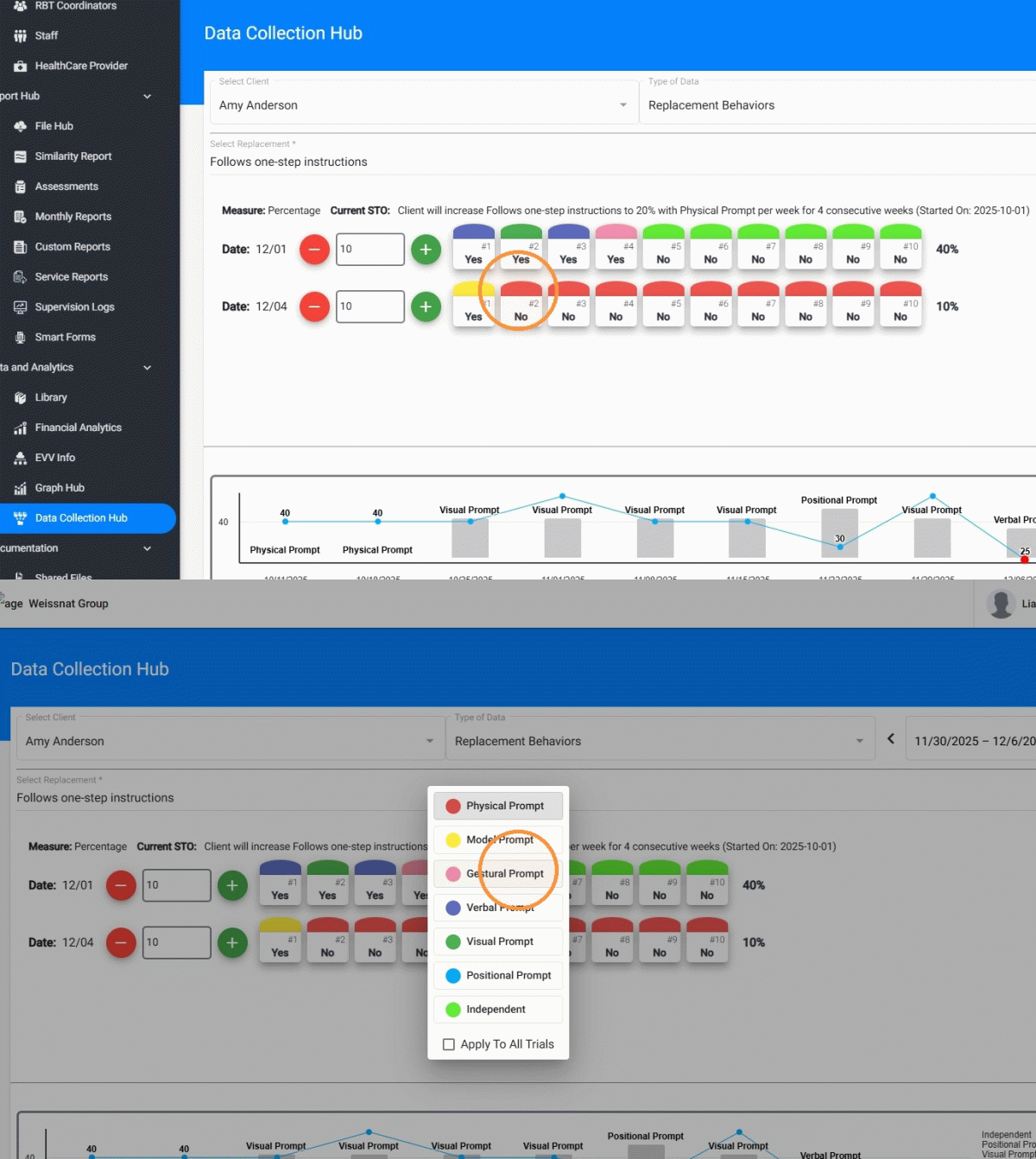
8. The live data collection graph also displays prompt-level data, and you can hide the graph if you need more space to navigate between sessions and entries.