How Caregivers access and complete the Acknowledgment & Feedback Report (For Caregivers)
This guide provides essential information for caregivers on how to access and complete the Acknowledgment & Feedback Report, ensuring their feedback on ABA services is effectively communicated. It outlines secure methods for accessing the form, either through email or in-person with agency staff, while protecting client information. Caregivers will find a user-friendly process for submitting their observations and concerns, which directly contributes to service evaluation and quality improvement. Viewing this guide empowers caregivers to share their valuable insights efficiently.
How to access the form via Email
1. Caregivers can receive an email invitation informing them that they have been invited to complete a brief survey regarding the ABA services their child receives from the agency. The email explains the purpose of the survey, which is to gather feedback to support service evaluation and quality improvement, and notes that the survey takes approximately 5 minutes to complete.
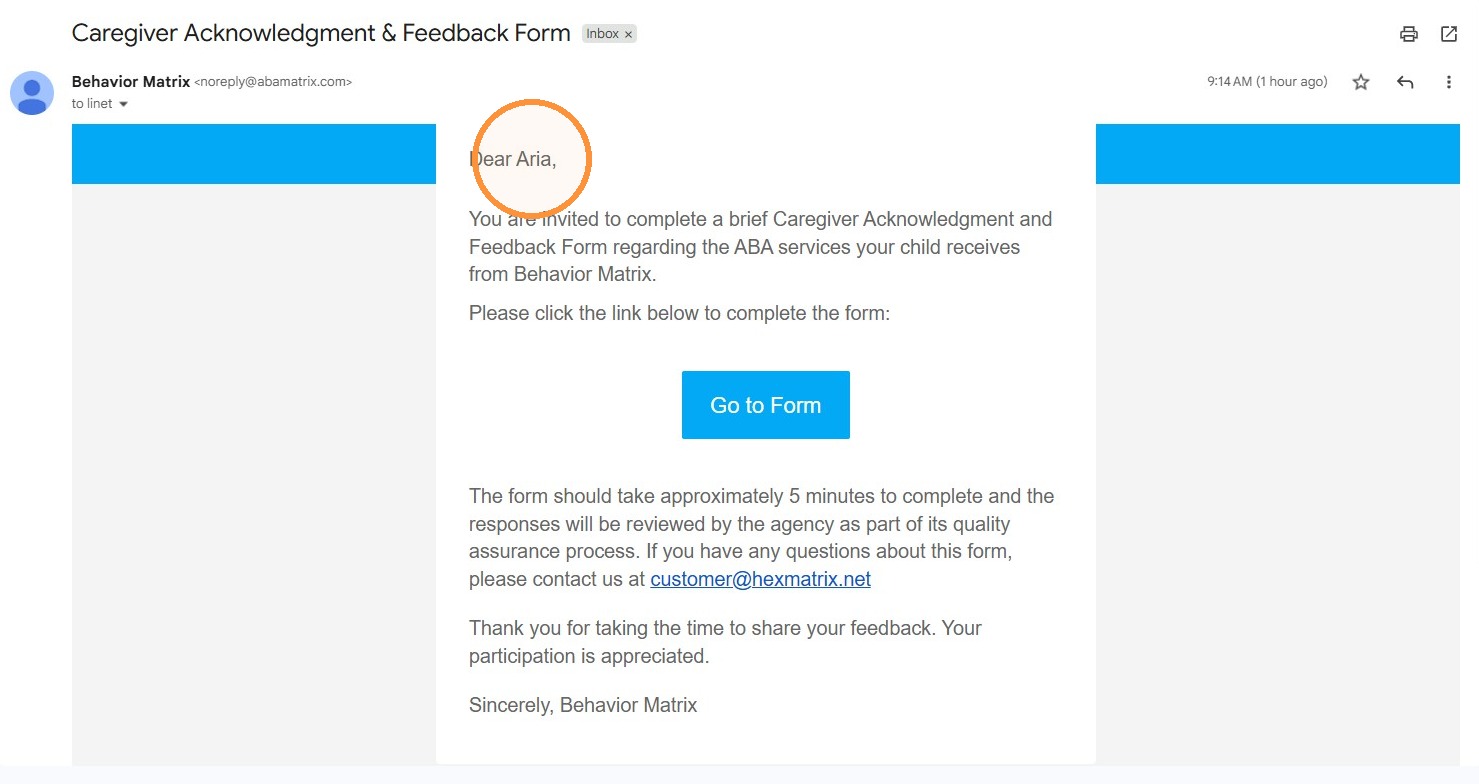
To protect client information:
- The email invitation does not include any client-specific details
- All protected information is contained inside the secure form
- The caregiver accesses the form only through a secure link
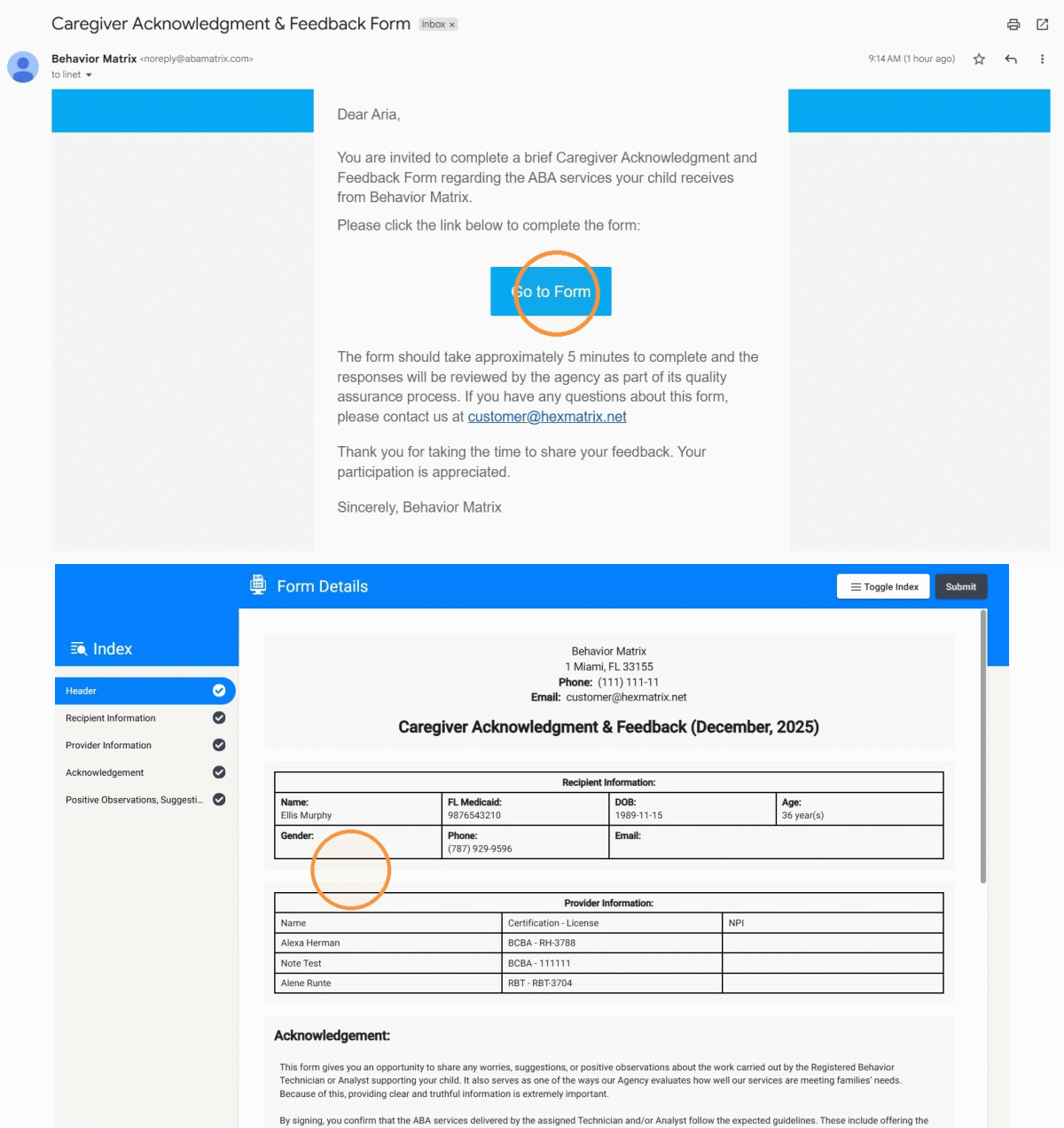
2. After clicking Go to Survey, caregivers are taken directly to the form.
How to access the form directly through an agency employee’s account
3. The caregiver can also complete, sign, and submit the report from any agency employee account that has access to the report.
This allows the form to be completed in person during a face-to-face visit with any authorized agency staff member. The staff member simply needs to open the form, and the caregiver can follow the same steps.
How to Complete the Form
4. In the form, several sections are automatically generated based on existing system data, including:
- Client information
- Assigned provider information
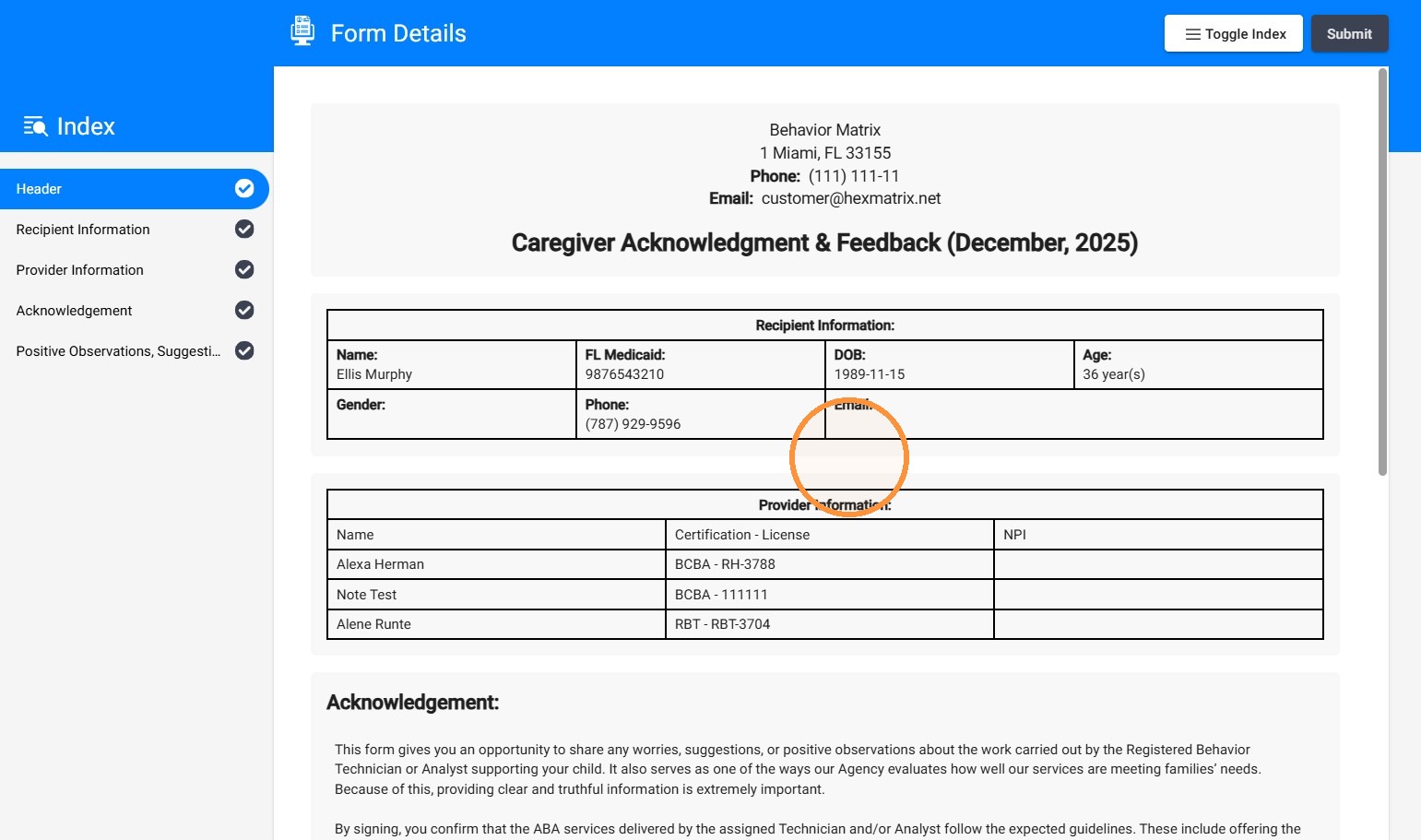
5. The form also includes a disclaimer message.
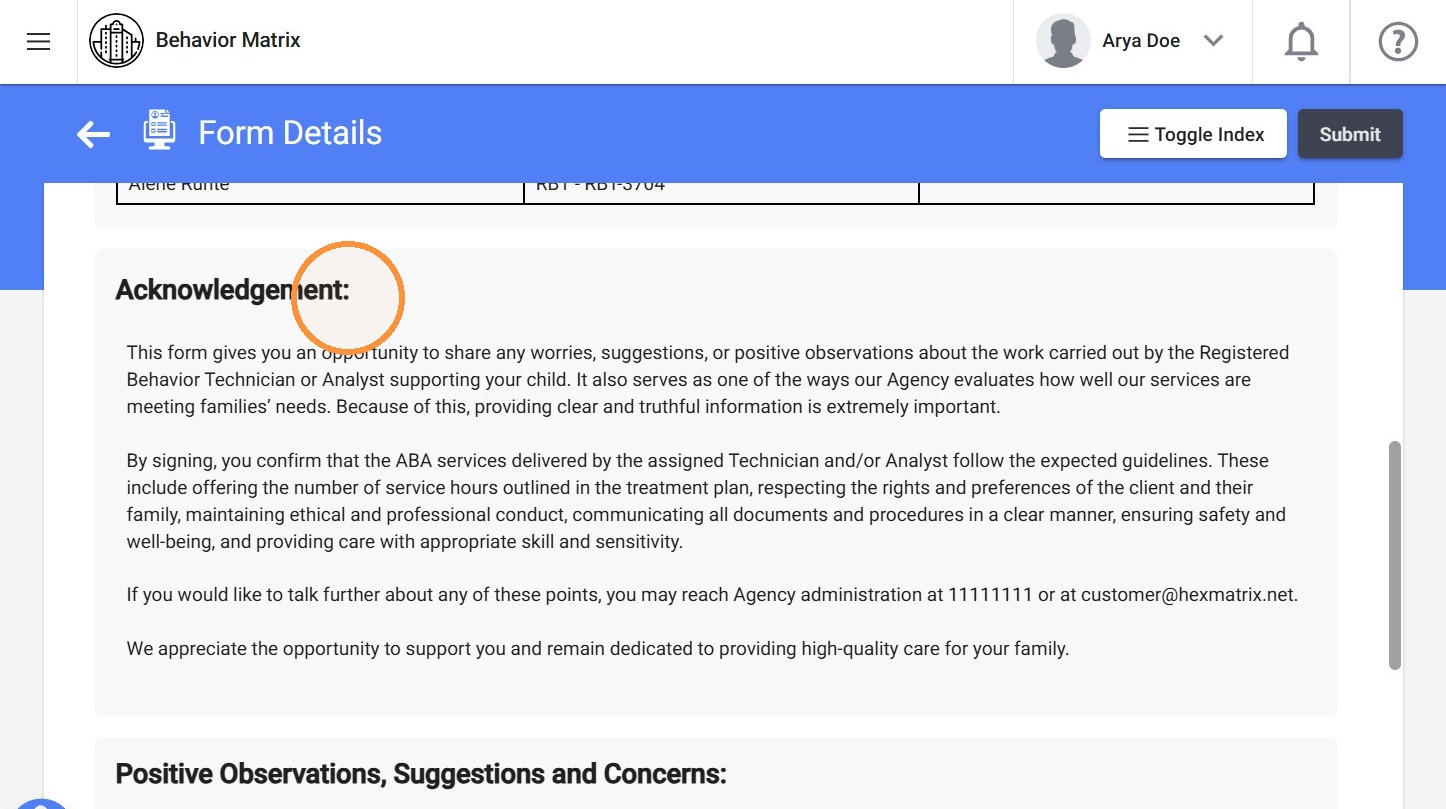
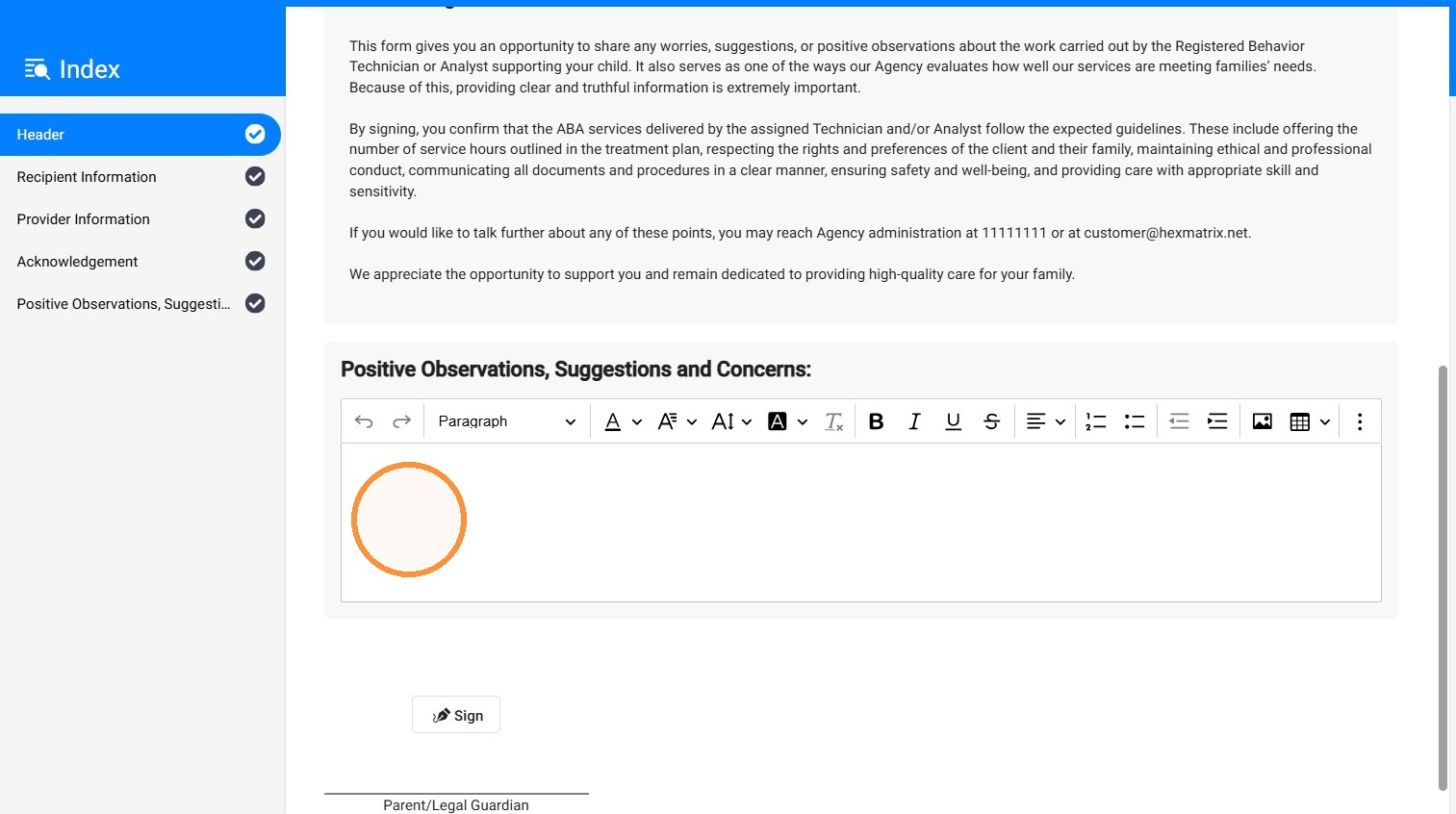
6. The Positive Observations, Suggestions, and Concerns section is designed to give caregivers a flexible space to share feedback about their experience. It may include positive observations about services or providers, suggestions for improvement, questions, or concerns. The information entered in this section helps agencies better understand caregiver perspectives and identify opportunities for quality improvement.
This section is optional and may be left empty if the caregiver has no feedback, suggestions, or concerns to report.
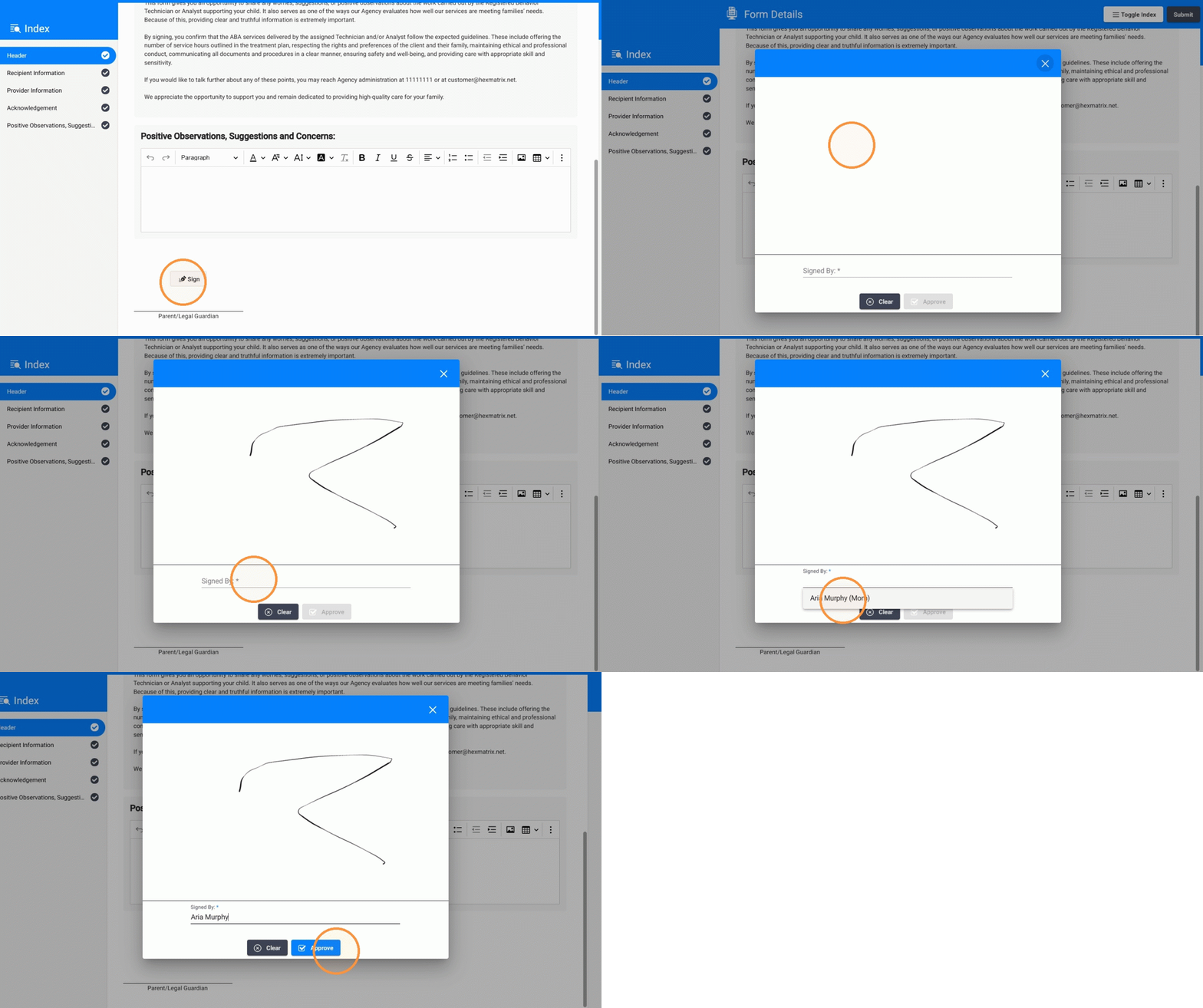
7. The caregiver can sign directly within the form at the end of the report. To sign, the caregiver clicks Sign, enters or selects the Signed By name, and then clicks Approve to complete the signature.
8. Once the form is completed, the caregiver can click Submit.
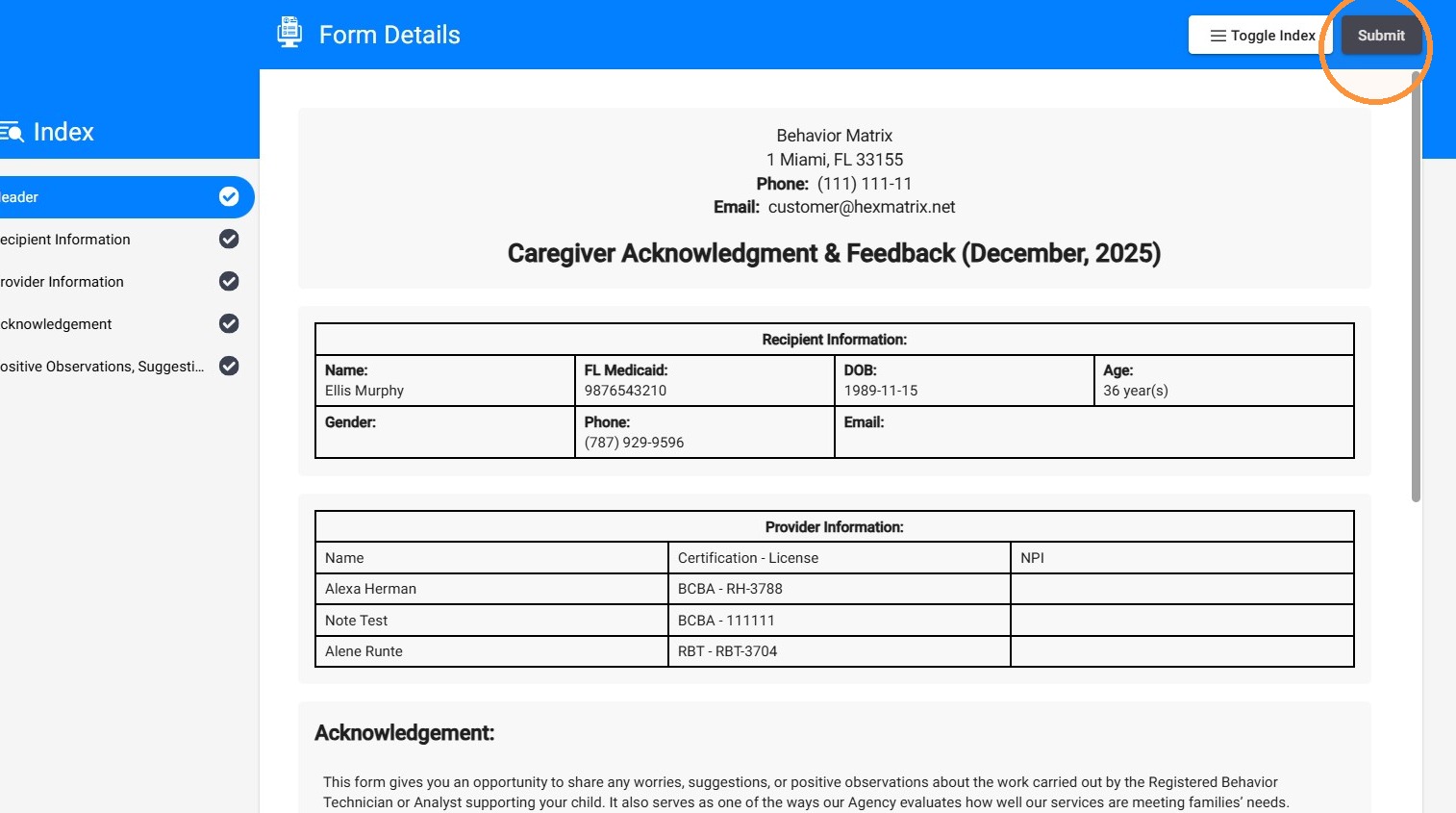
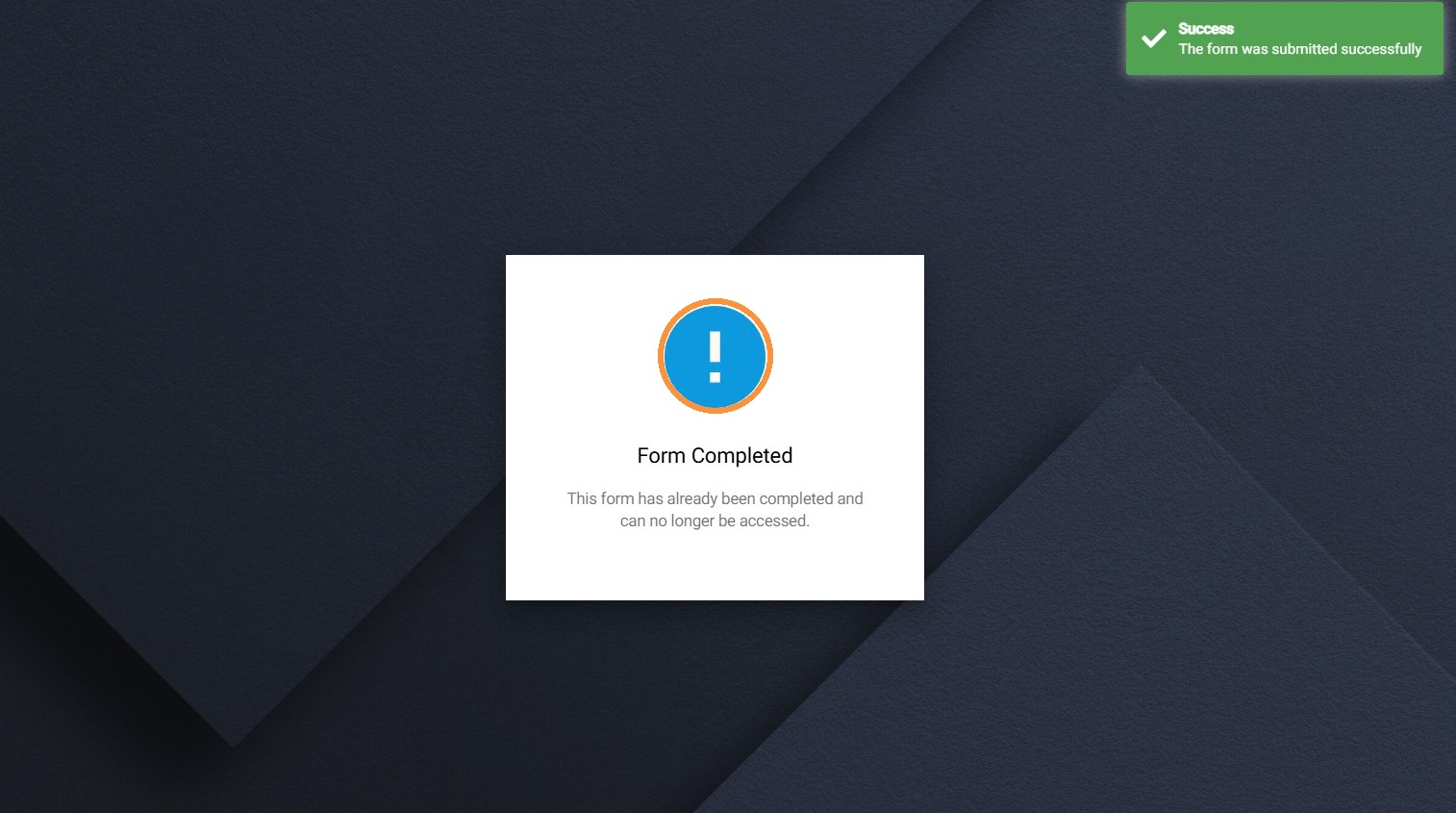
9. After submission, the form is marked as Completed.
If the caregiver completes the form via email, they will lose access to the form once it is submitted. The form link remains active for 7 days or until the form is completed, whichever occurs first.